Linked Text Frames for Figma
A native concept for InDesign style text threading in Figma, with a working plugin as proof.

Independent student concept. Not affiliated with, endorsed by, or sponsored by Figma.
Overview
Figma has no way to flow one story across text boxes.
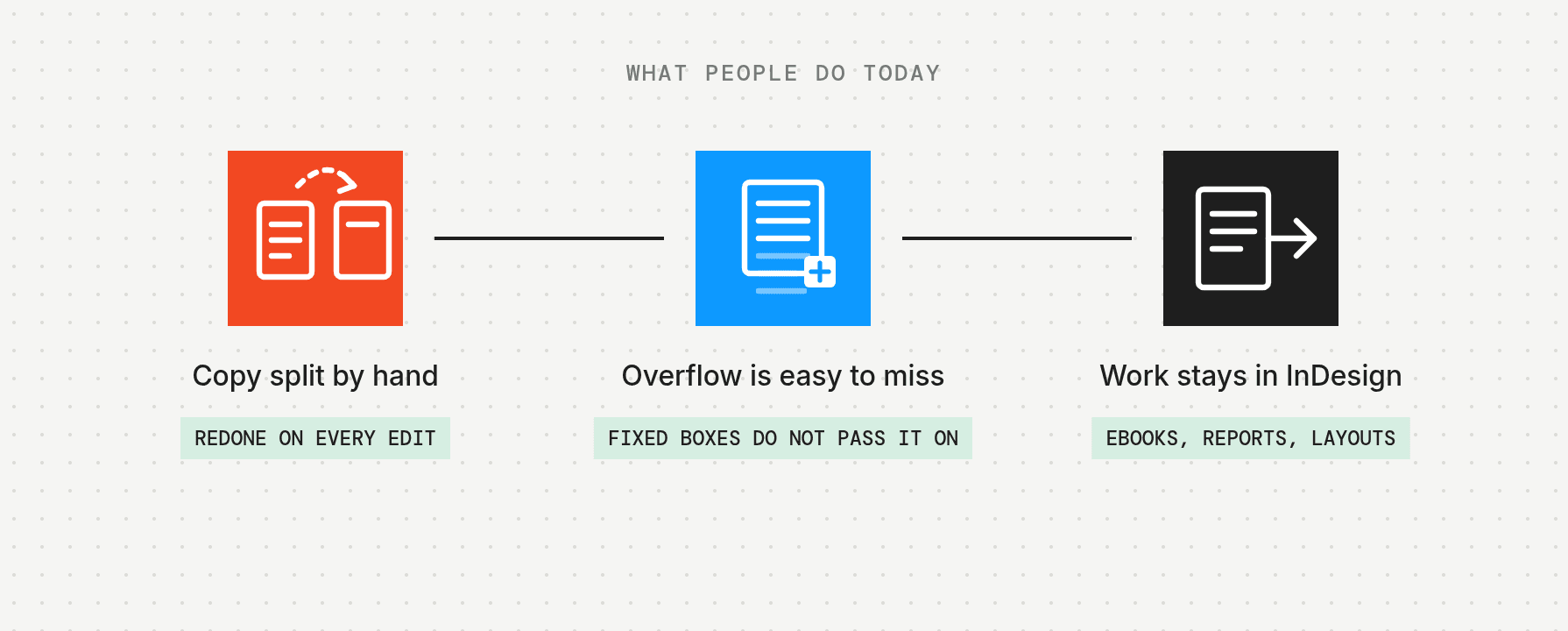
InDesign already does. Text that does not fit in one frame flows into the next, and the story reflows when the copy changes. In Figma, every text box stands alone.

My role
I did this solo, from October to November 2026: desk research, principles, three directions, an 8 screen UI3 concept with a Smart Animate prototype, and a working Figma plugin that proves the behavior on a real magazine spread.
Problem
Every text box in Figma is an island
In InDesign, text that does not fit in one frame flows into the next linked frame. Edit a paragraph, resize a column, or delete a frame, and the story reflows. In Figma, every text box stands alone. Multi column layouts, magazine spreads, reports, and text heavy slides all mean splitting copy by hand and redoing it every time the copy changes.

People have been asking for five years
The main Figma forum request, "Link textboxes in Figma", was opened in April 2021. On November 10, 2026 it showed 55 replies and 12,508 views. Newer requests keep appearing, including one from a Figma Slides user in December 2025.

"I found this thread while trying to figure out if I should convince a collaborator to move from InDesign to Figma. If text wrapping between text boxes is not possible, we'll be sticking with InDesign."
Nick_DeMaison, Figma forum
"Just keeping this alive. I'd rather have simple and extremely useful things like this than AI, which is blocked in my company anyway..."
Bas_Poppink1, Figma forum
The opportunity
What if text in Figma could flow from one box to the next, the way it has in publishing tools for years?

Research
Desk research
I read every forum request end to end, studied how InDesign, Affinity Publisher, and QuarkXPress thread text, and checked whether any browser based design tool does it today.
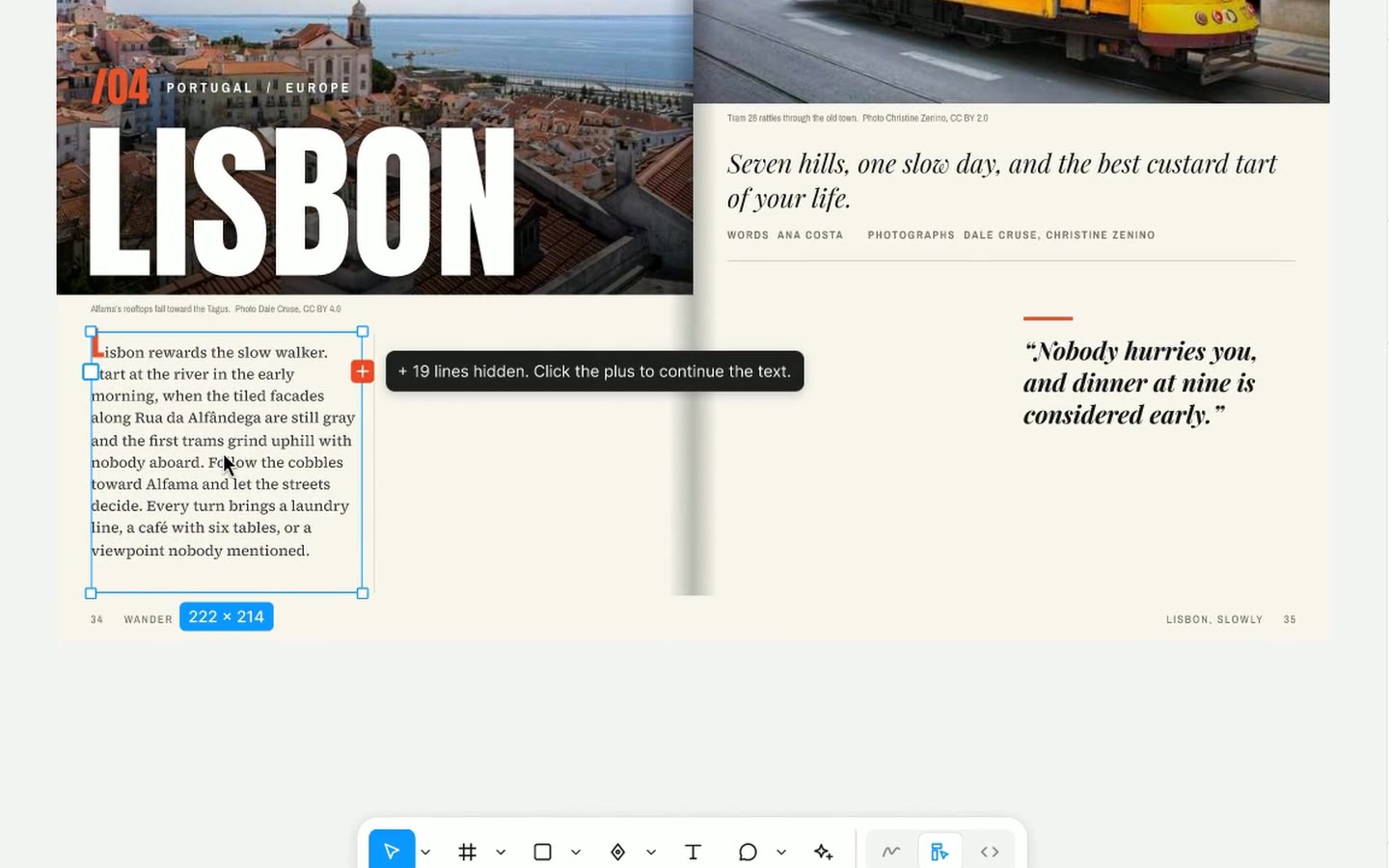
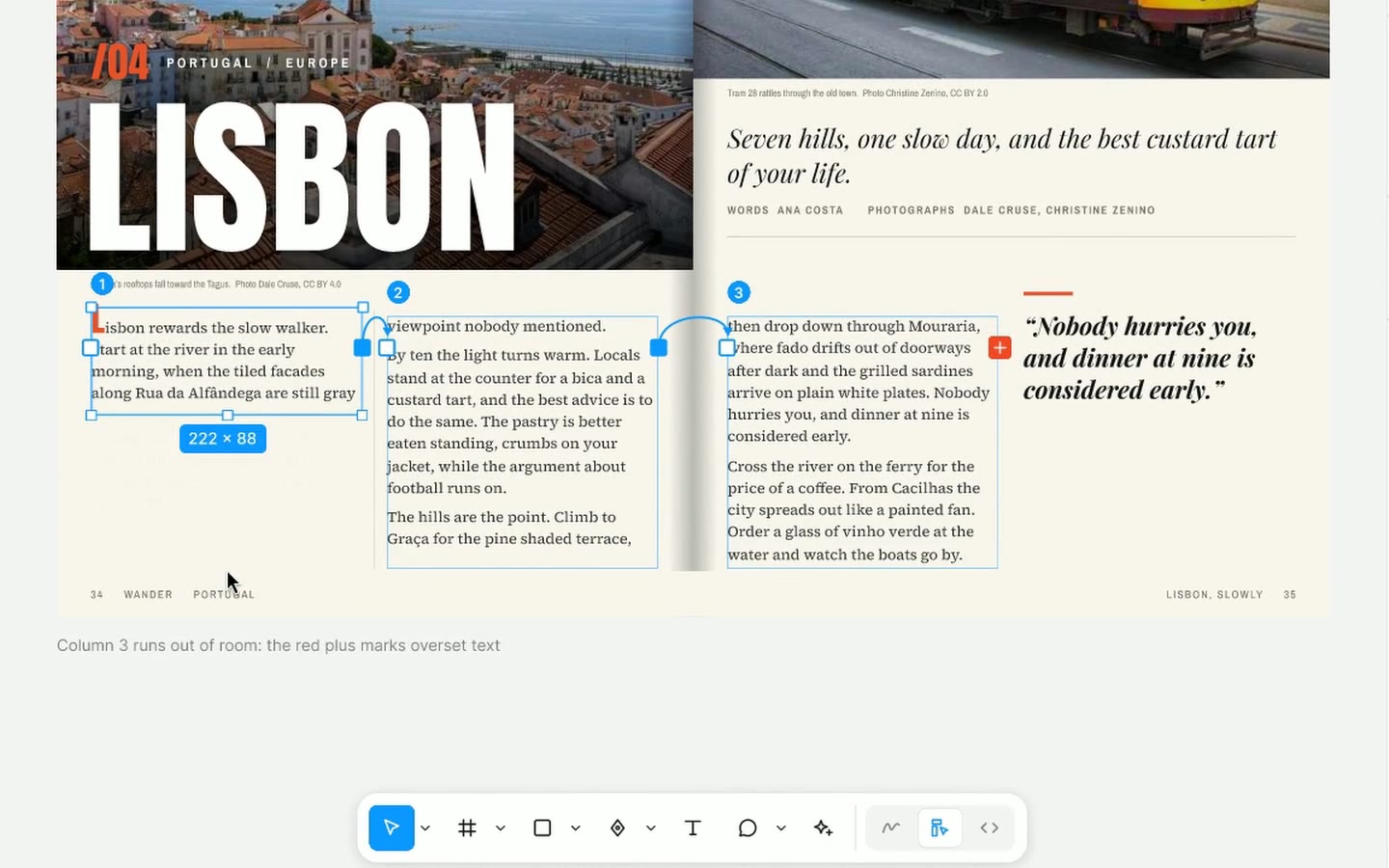
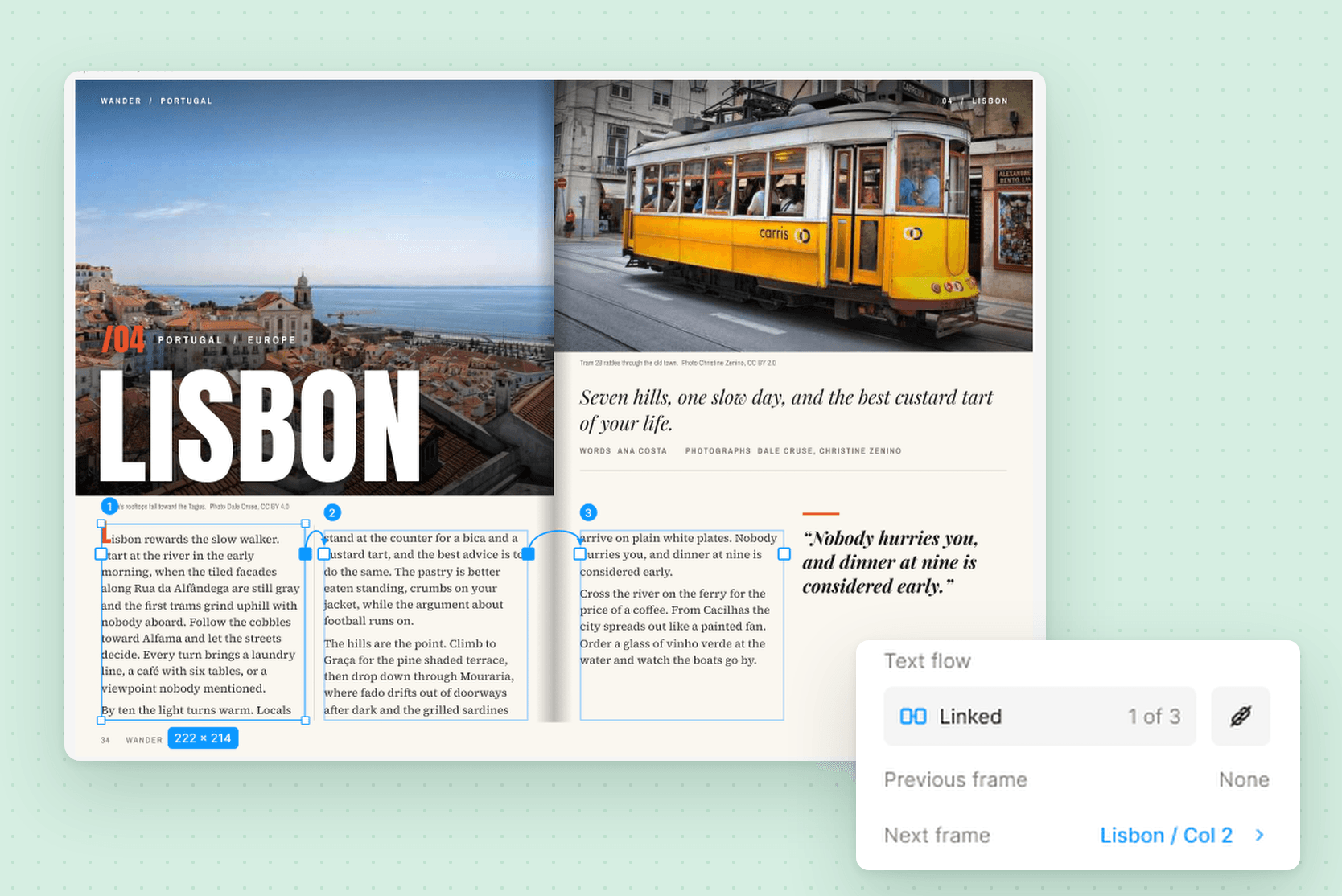
- InDesign gives every frame an in port and an out port. A red plus in the out port means overset text.
- Affinity Publisher uses flow triangles on the frame corners and can show the text flow as lines.
- QuarkXPress uses a separate linking tool and shows the chain as arrows.
- Canva's help center lists "Text won't automatically flow across multiple text boxes" as a limitation. Penpot's team confirmed in May 2026 that it cannot run text from one element to another.
Competitive analysis
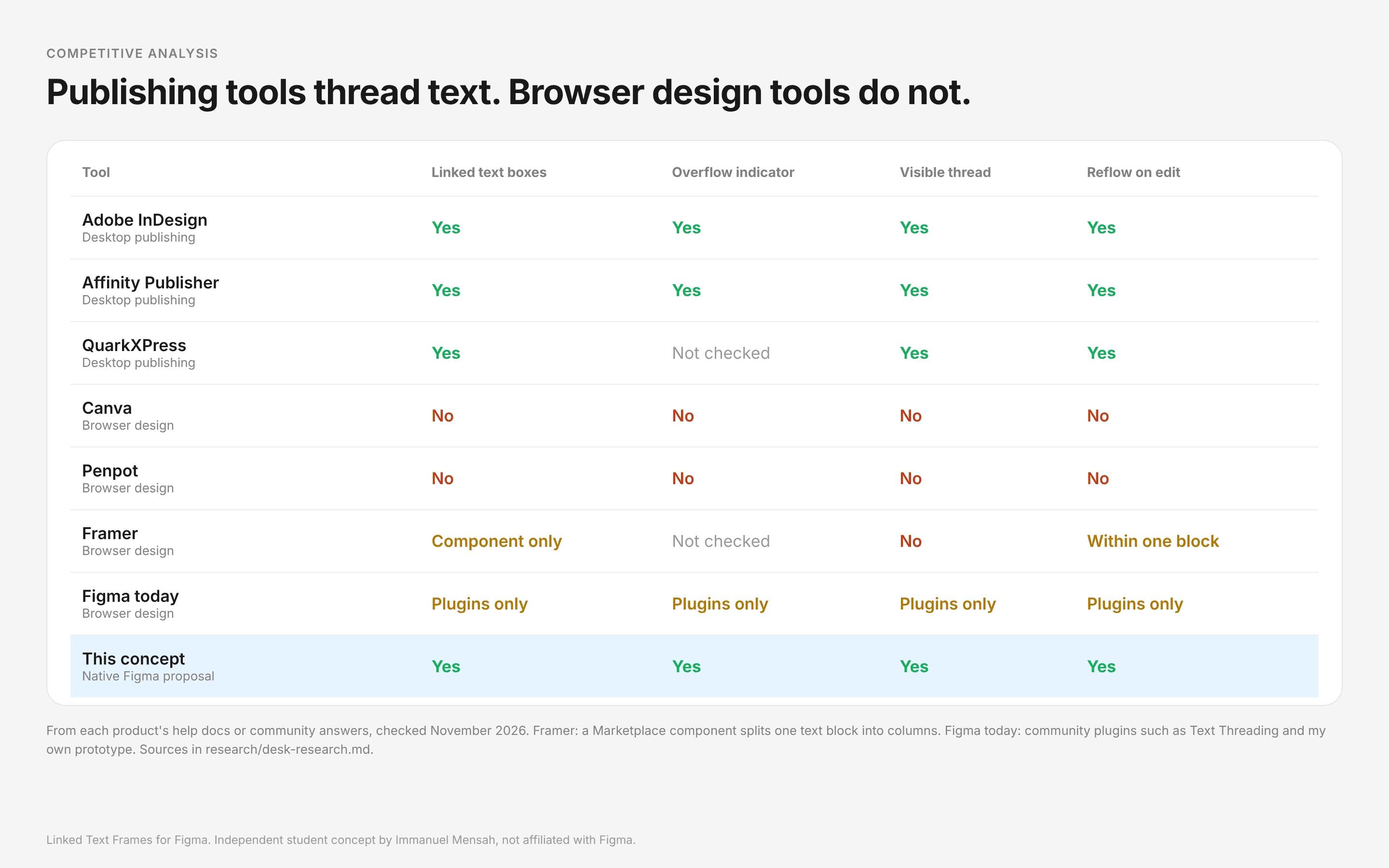
Plugins exist, including the community plugin Text Threading (September 2026) and my own prototype. That shows demand, but a plugin cannot draw ports in Figma's own interface or reflow live while you type. That gap is the case for a native feature.
Persona hypotheses
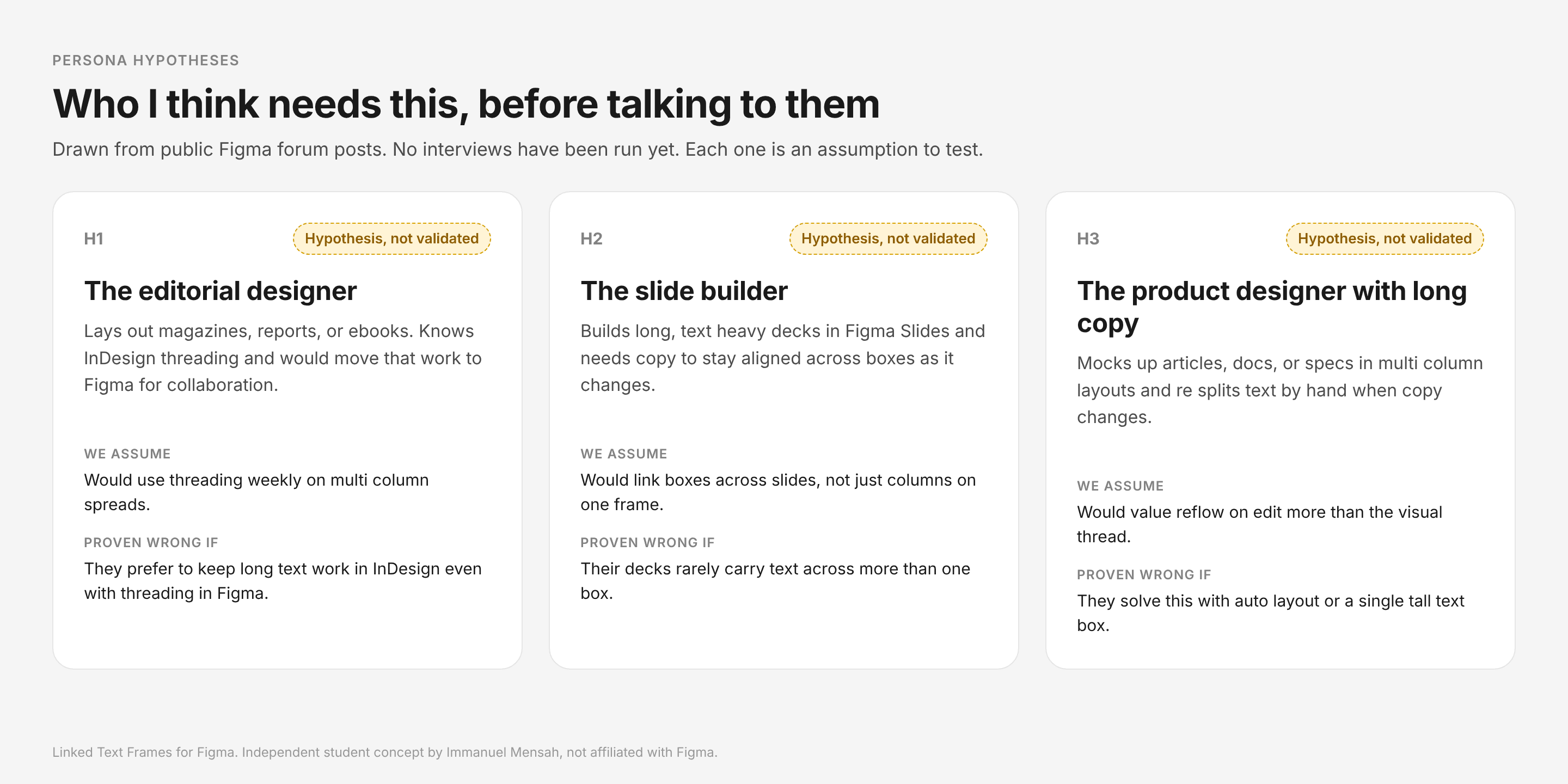
These are assumptions, not findings. I have not run interviews yet.
Interviews planned
Next, I plan to interview 5 to 6 designers who do editorial or long text work, and run a short unmoderated test on the prototype. The screener, discussion guide, and test plan are ready.
Principles
What makes threading feel like it belongs in Figma?
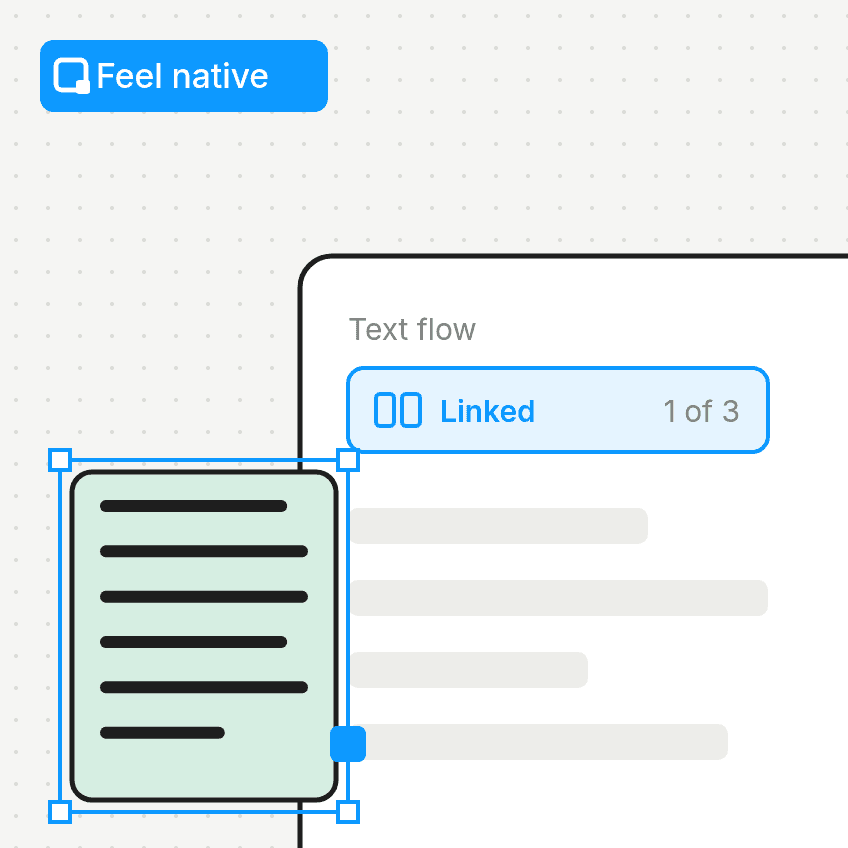
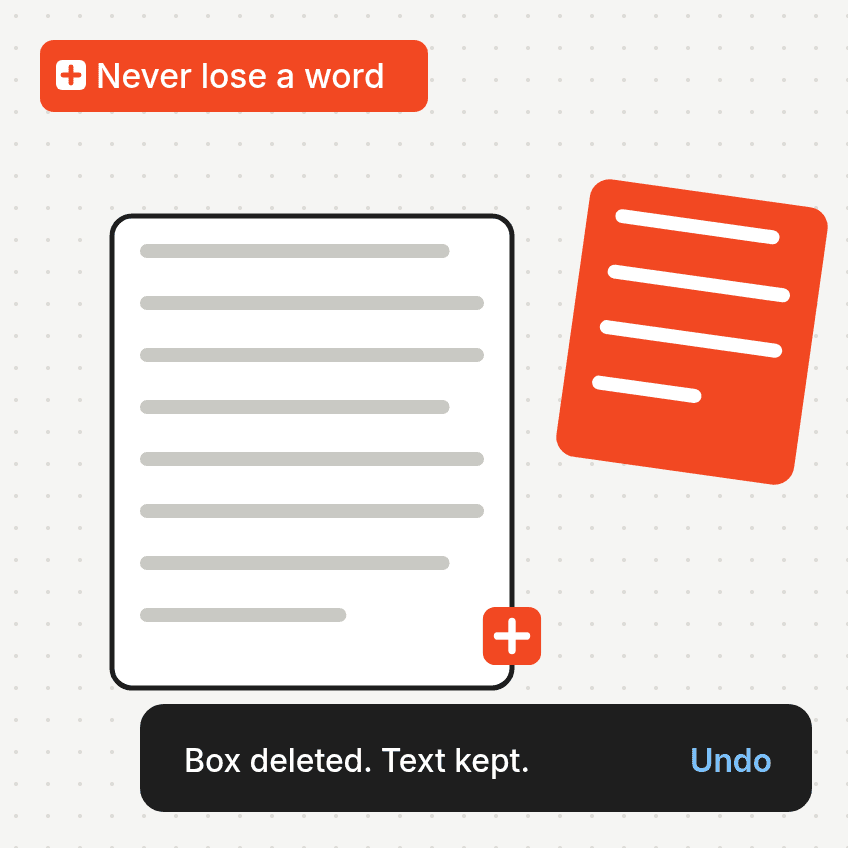
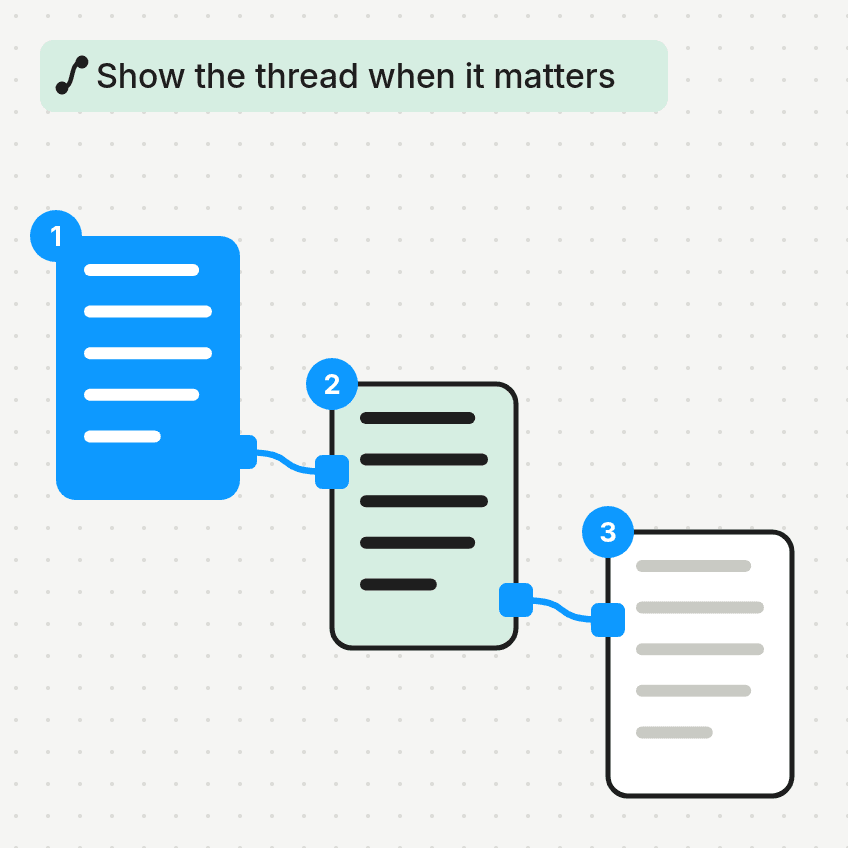
Explorations
How should you create and see a thread?
I compared three directions side by side on one decision board.
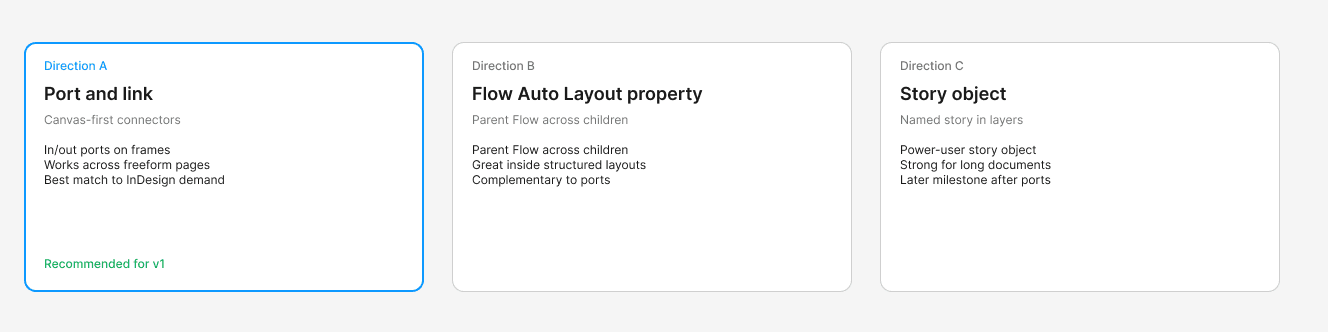
Direction A: Port and link (recommended for v1)
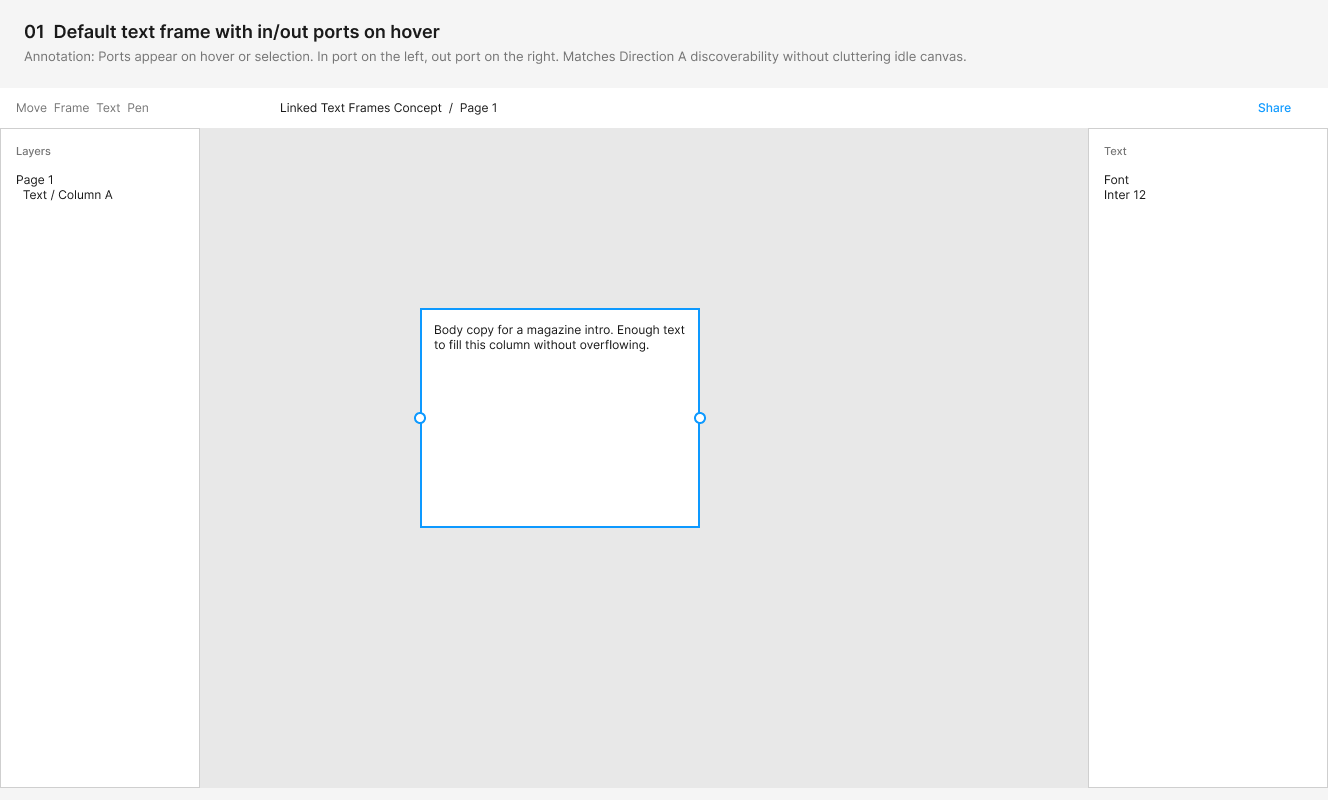
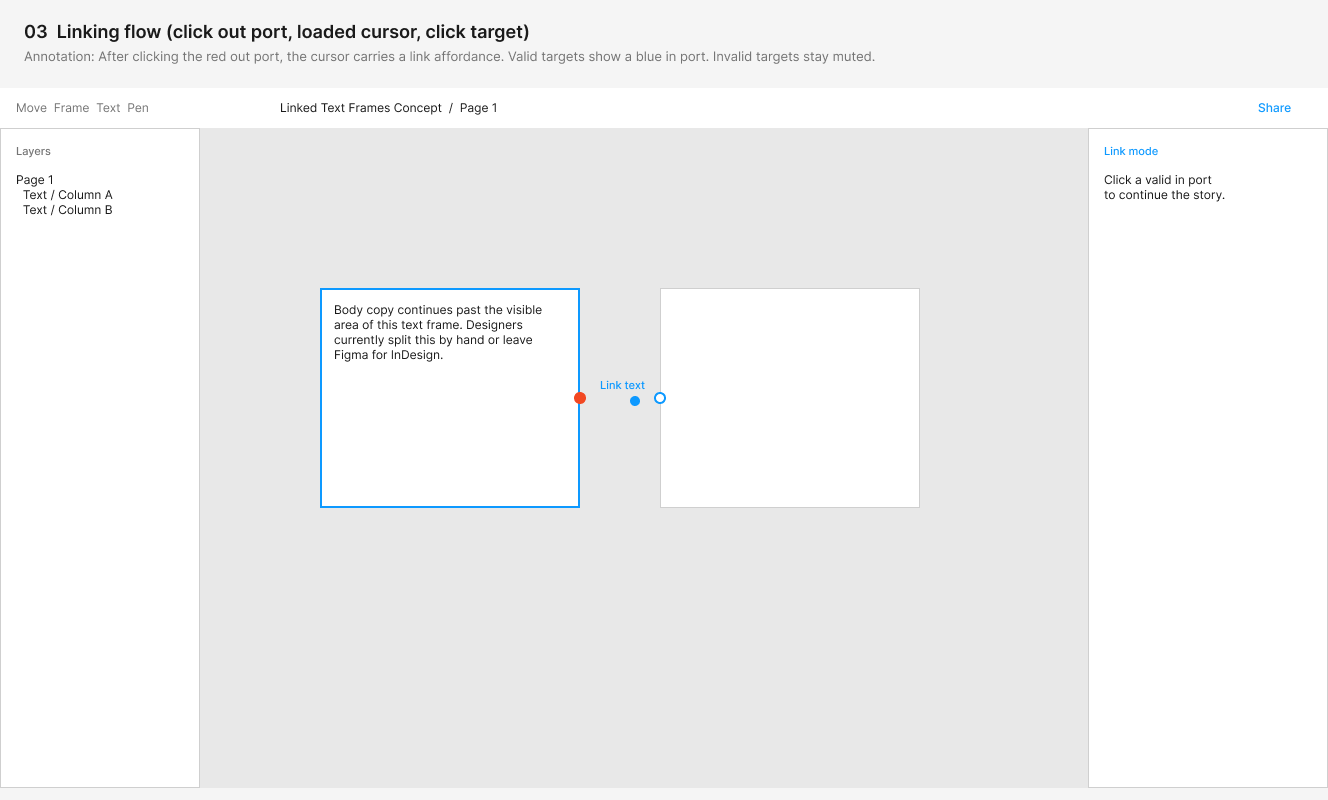
Canvas-first connectors. Every text frame gets in and out ports, it works across freeform pages, and it is the best match to what people ask for when they mention InDesign.
Direction B: Flow Auto Layout property
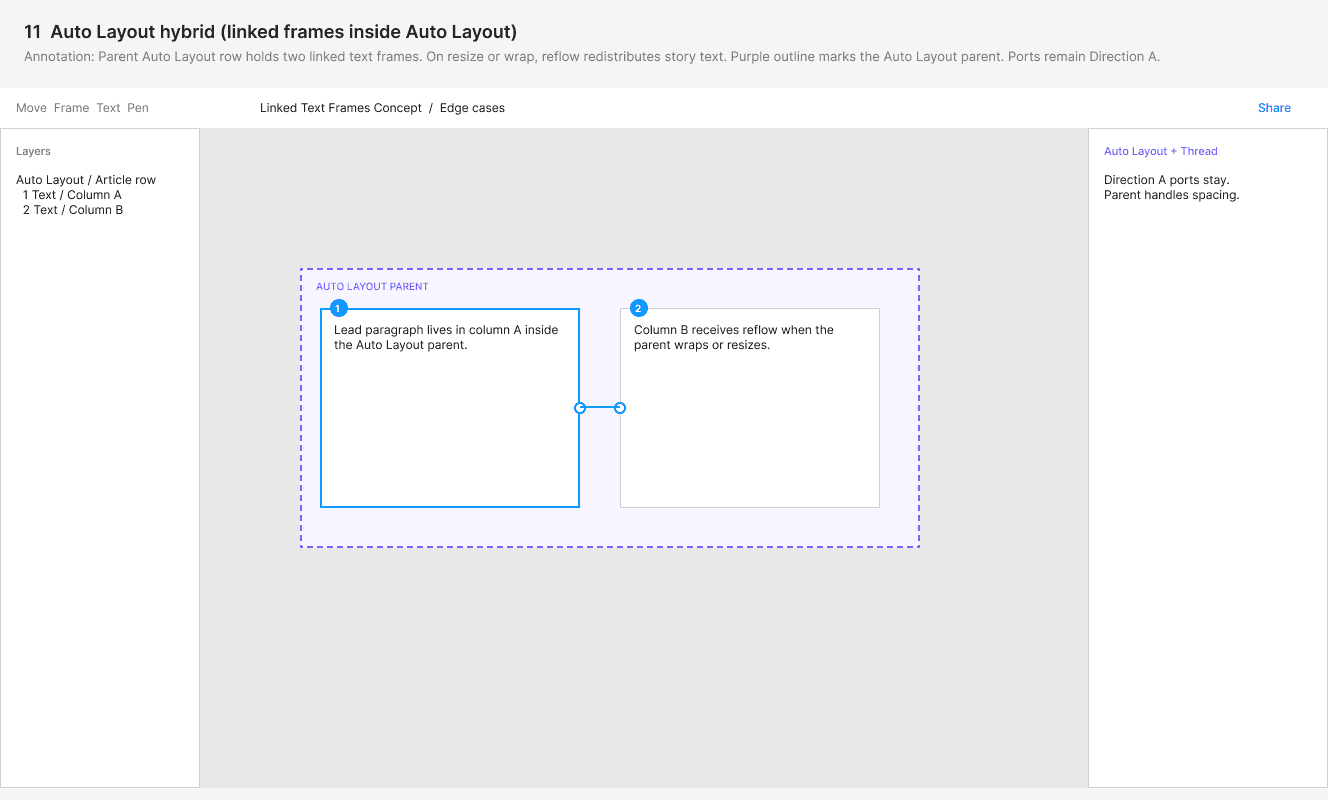
A parent Flow property that runs text across its children. Great inside structured layouts, and complementary to ports rather than a replacement.
Direction C: Story object
A named story in the Layers panel. A power-user story object that is strong for long documents, planned as a later milestone after ports.
Why ports and link?
Ports work anywhere on the canvas, not only inside an Auto Layout parent, and they match the model people already know from InDesign and Affinity. B and C stay on the roadmap: B as a shortcut for structured layouts, C for long documents once ports exist.

Direction A in wireframes
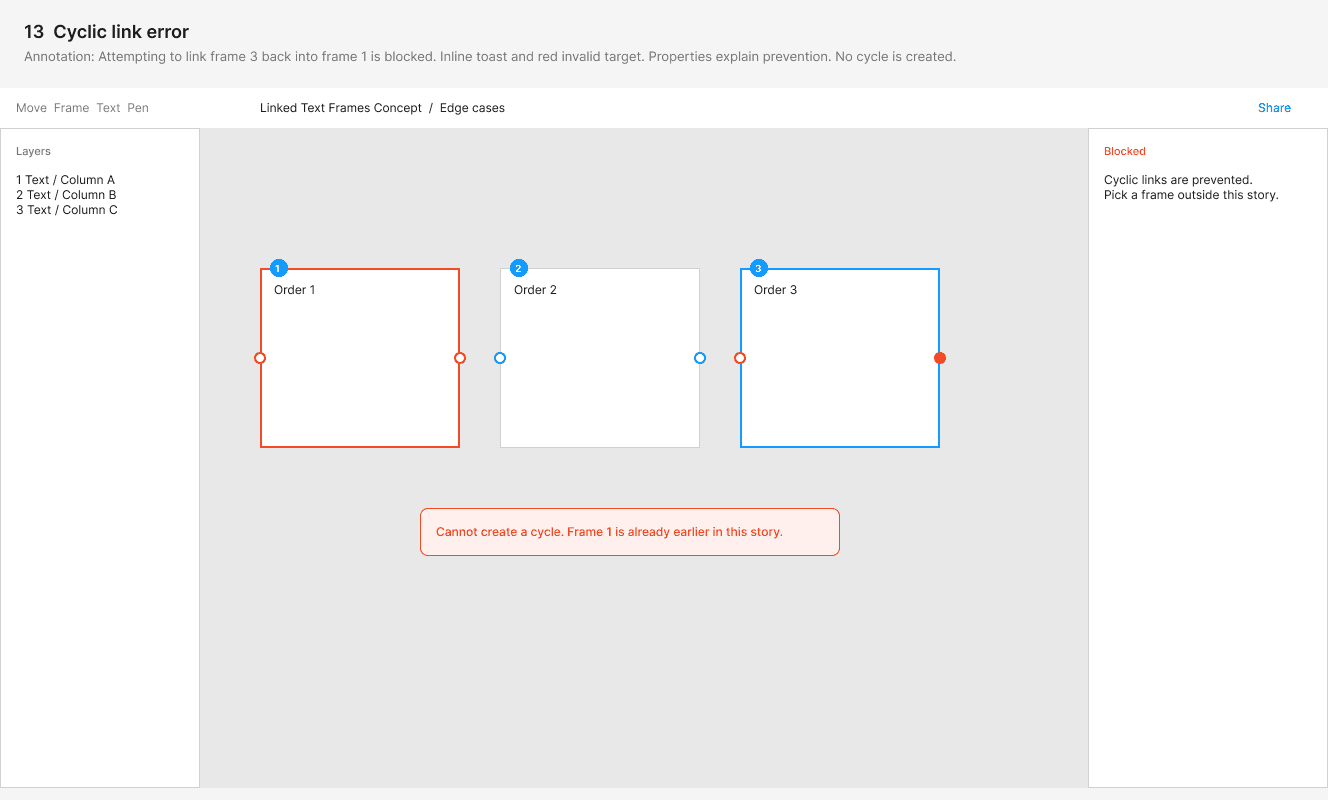
Before going high fidelity, I wireframed Direction A through 13 states, including edge cases like multiplayer, page breaks, keyboard only linking, and cycles.
Solution
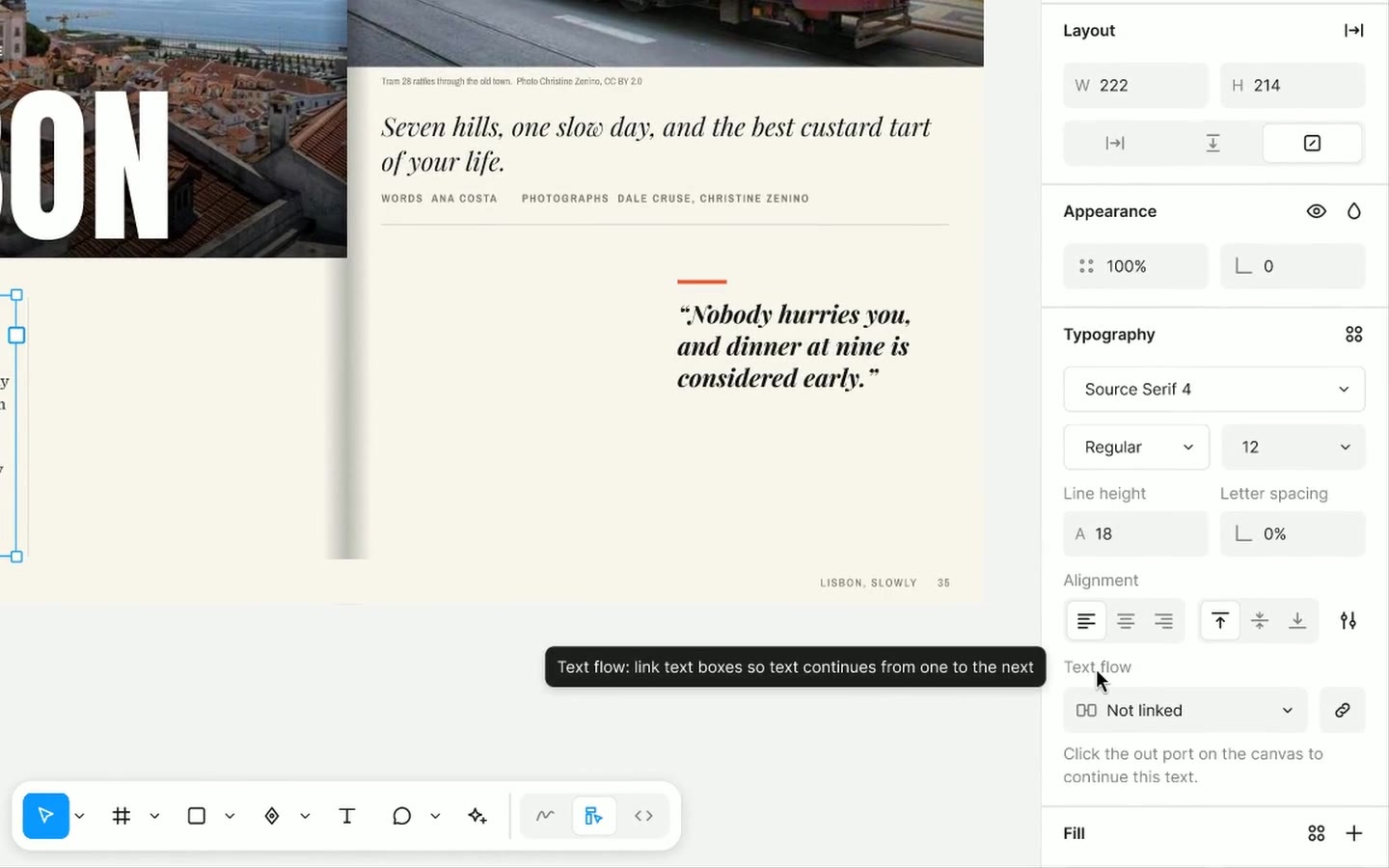
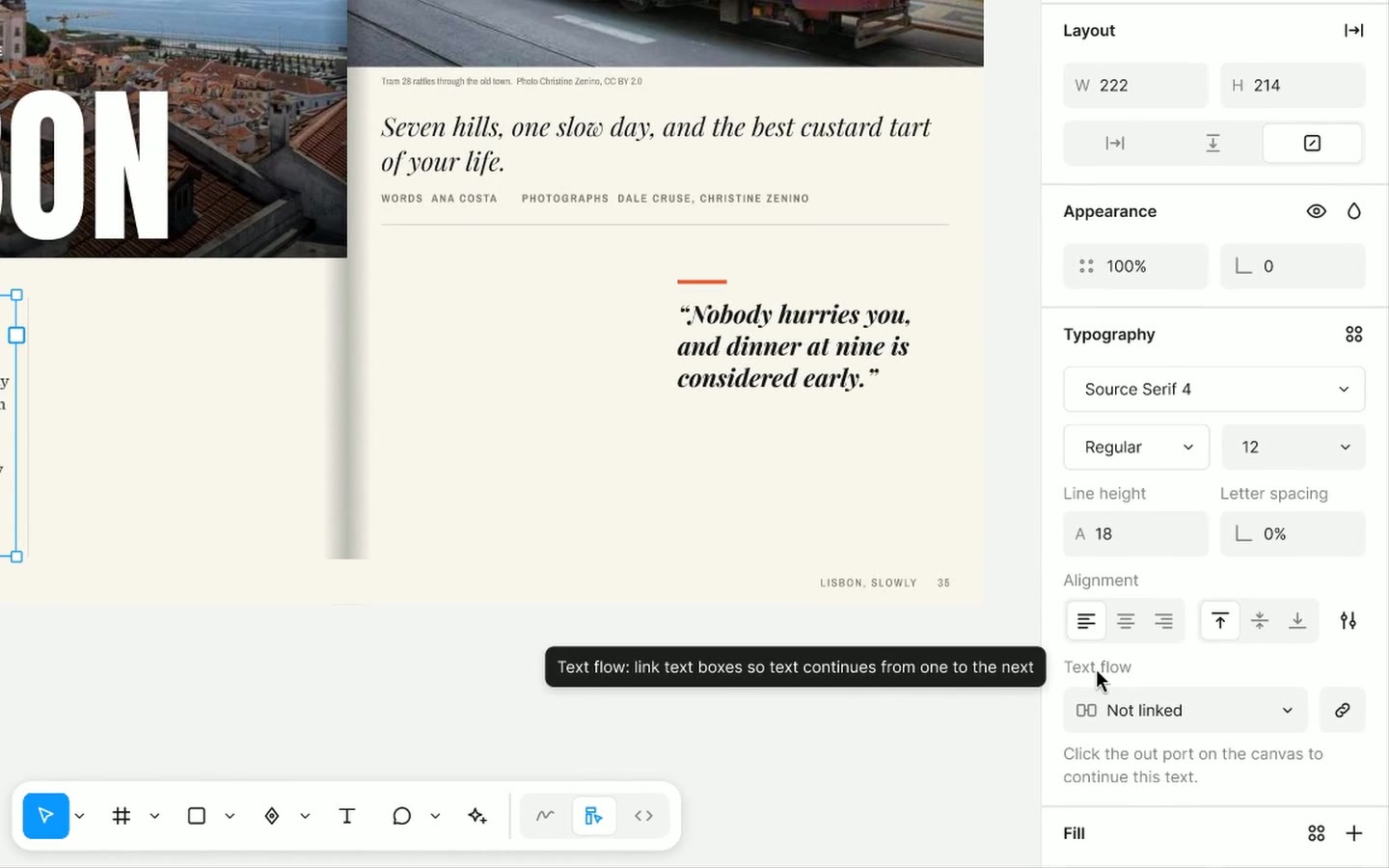
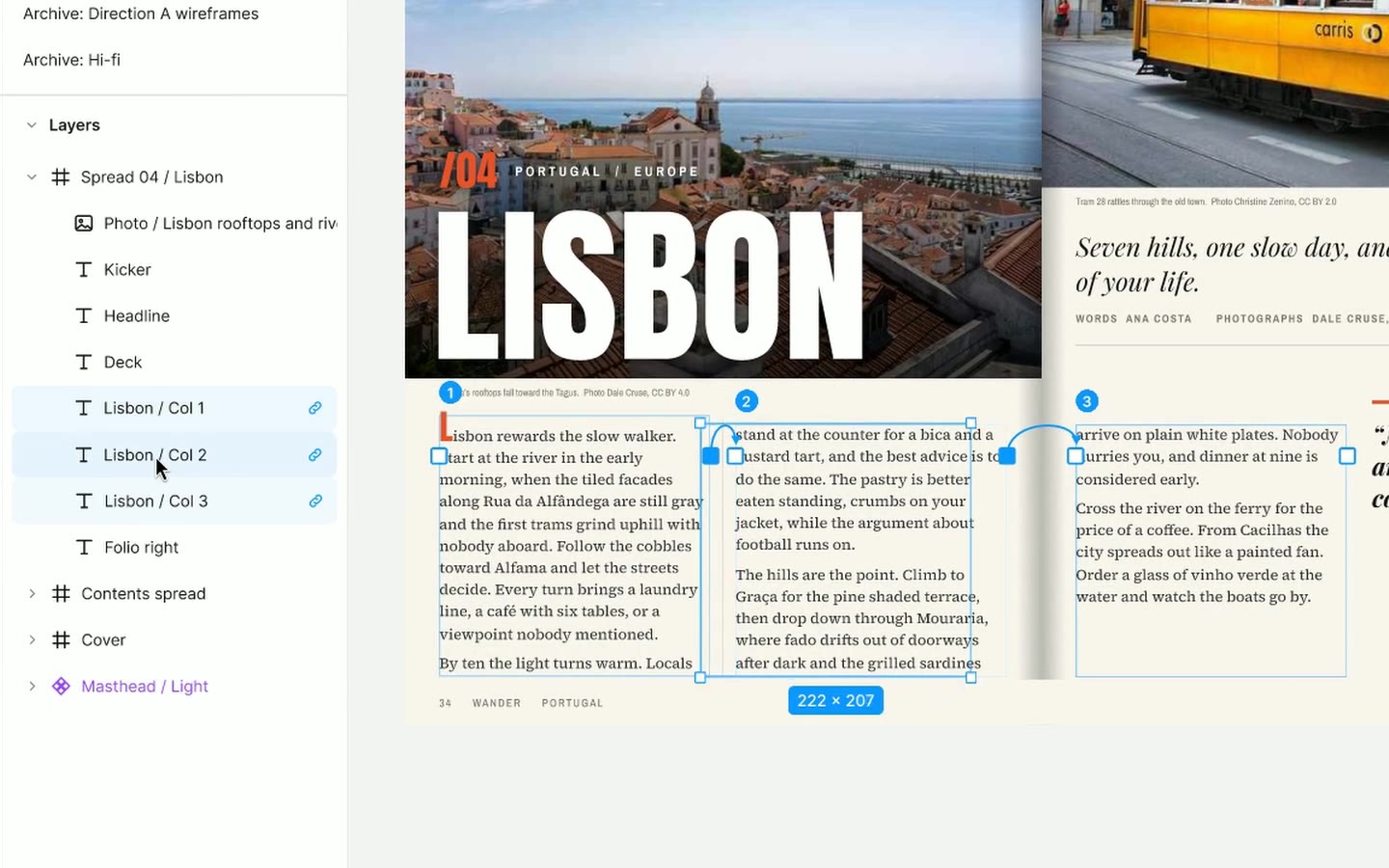
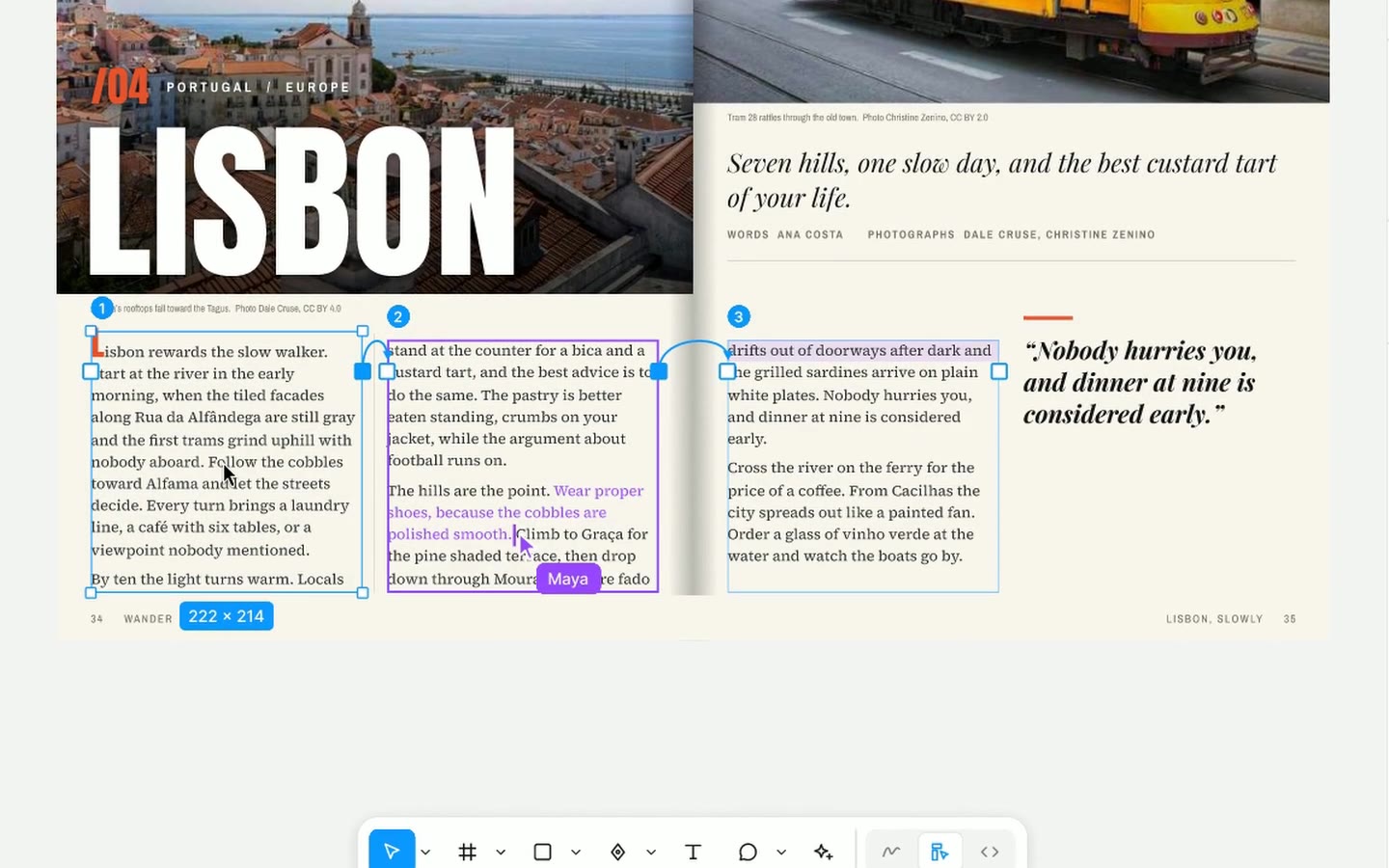
Text flow: thread text the way Figma would
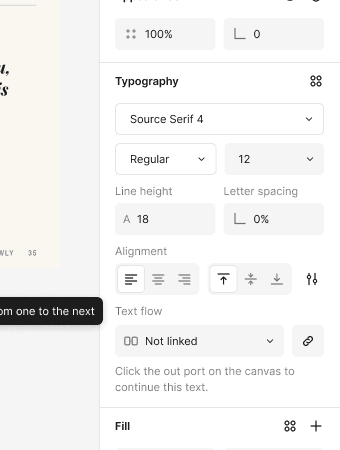
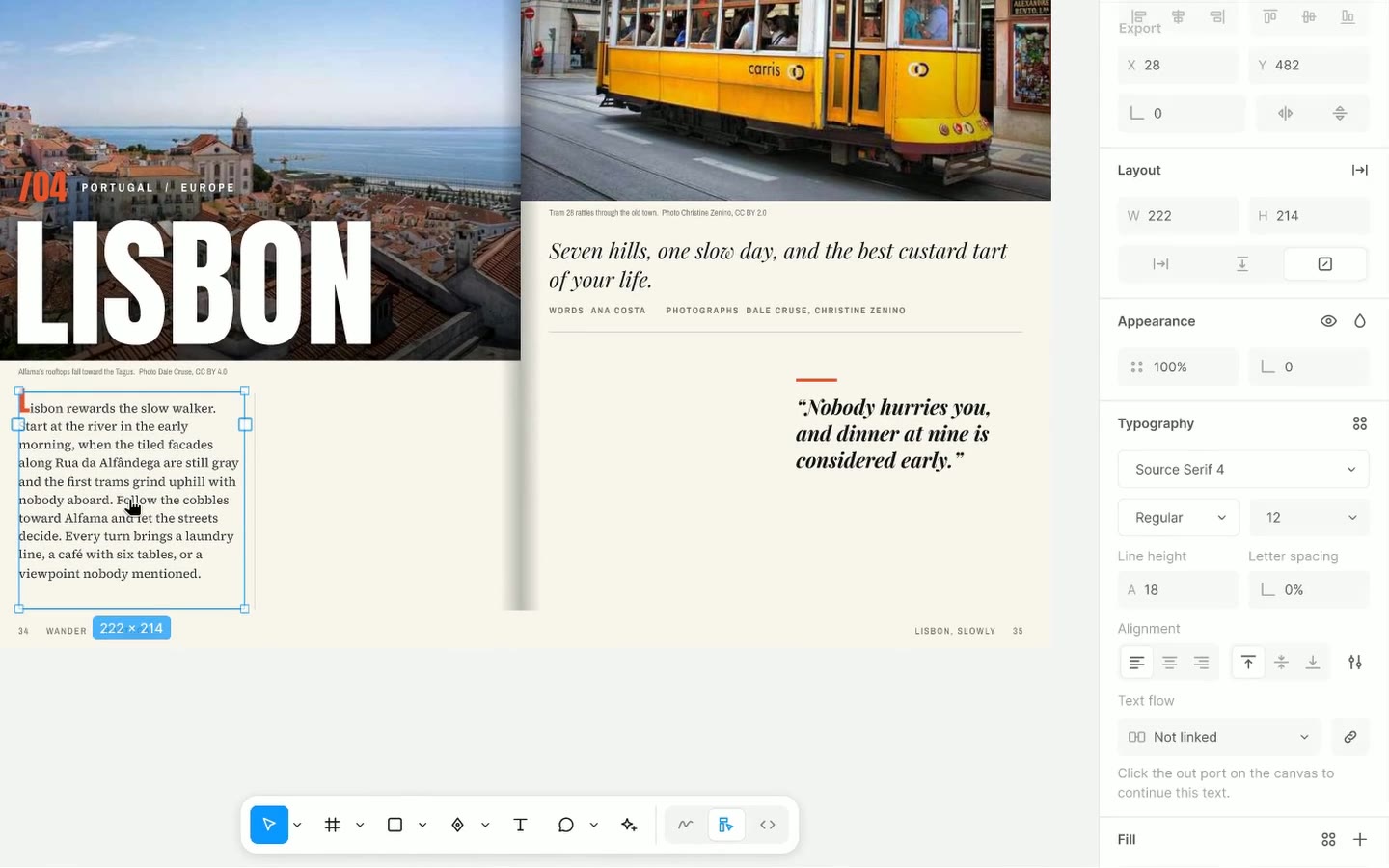
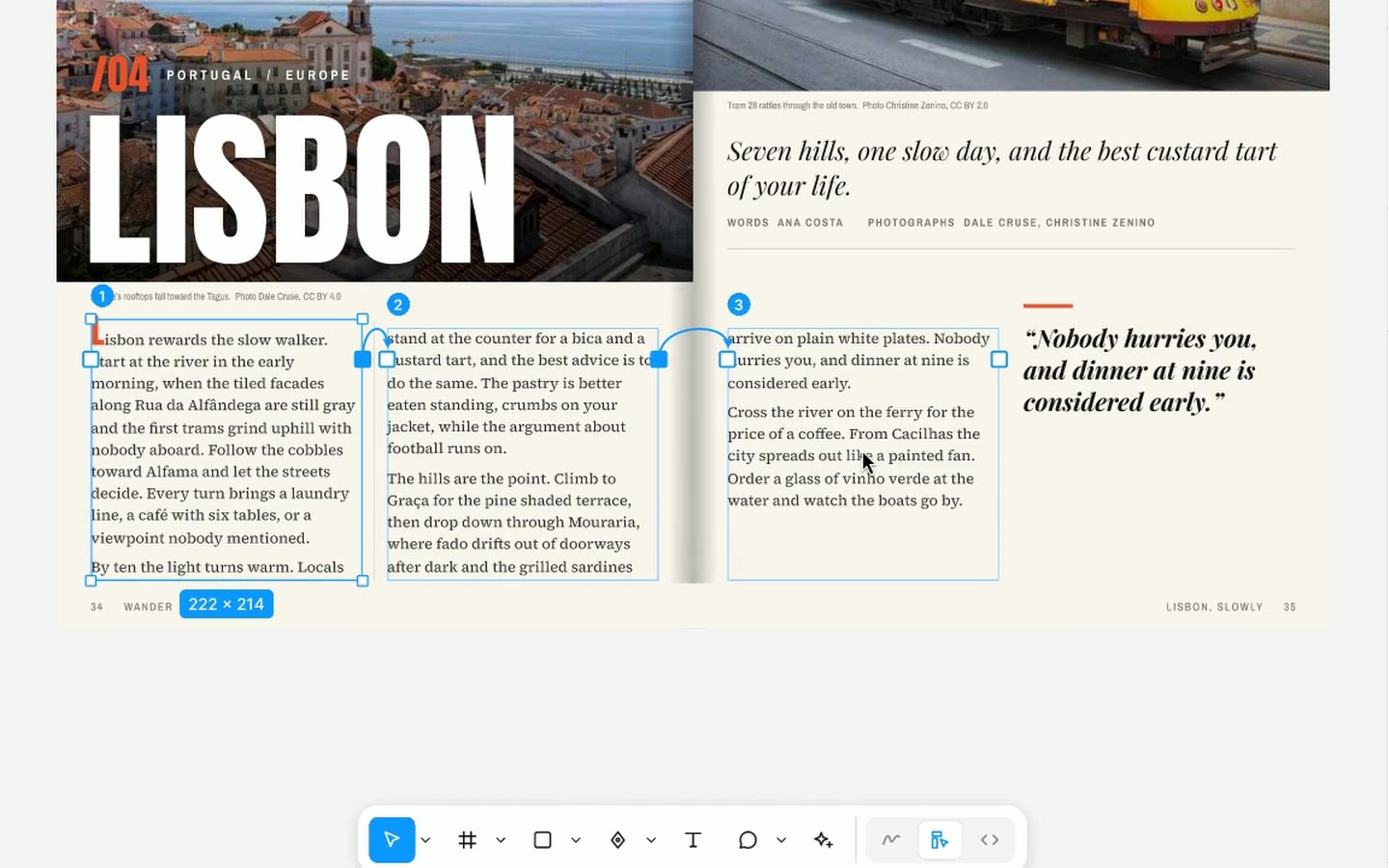
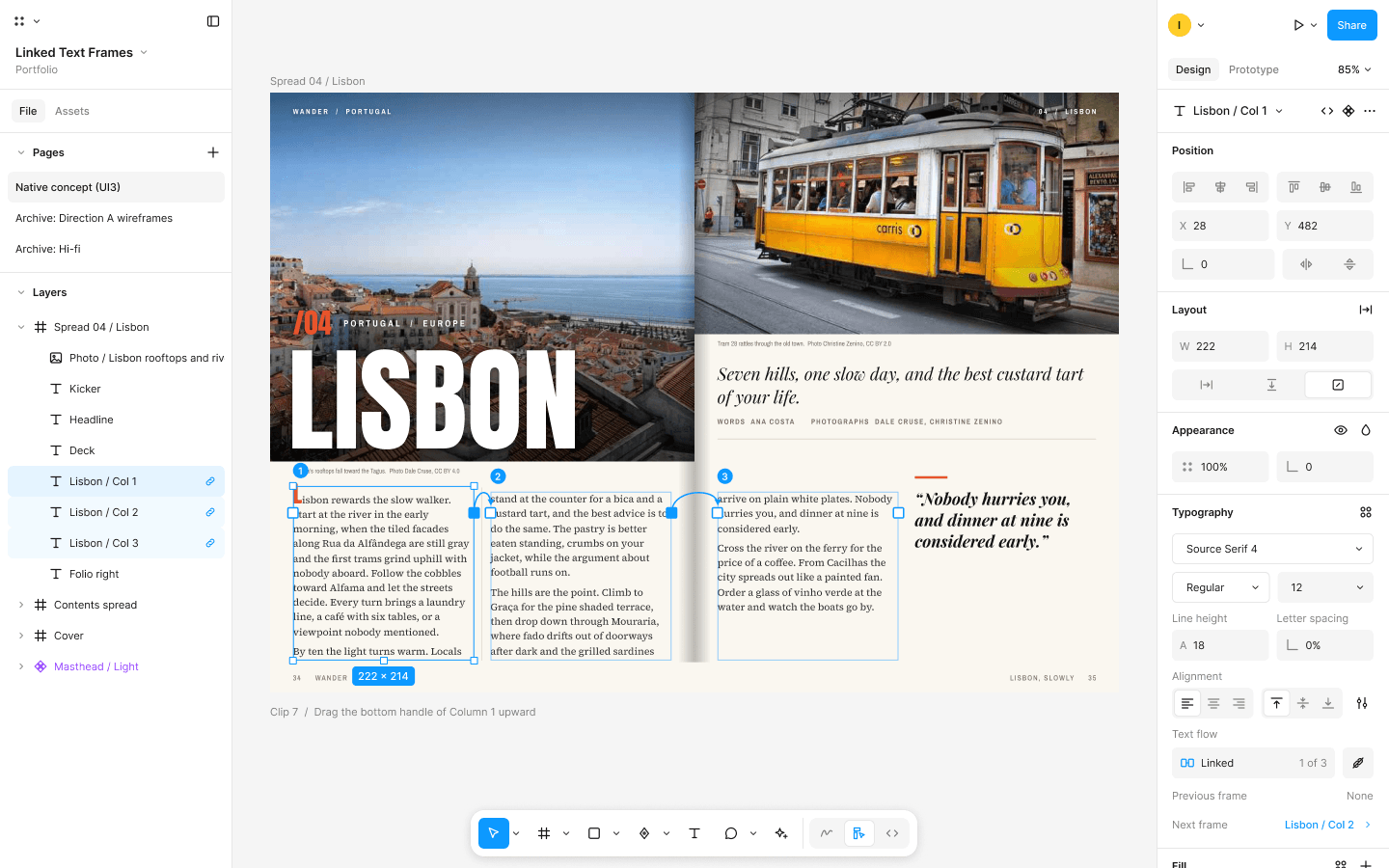
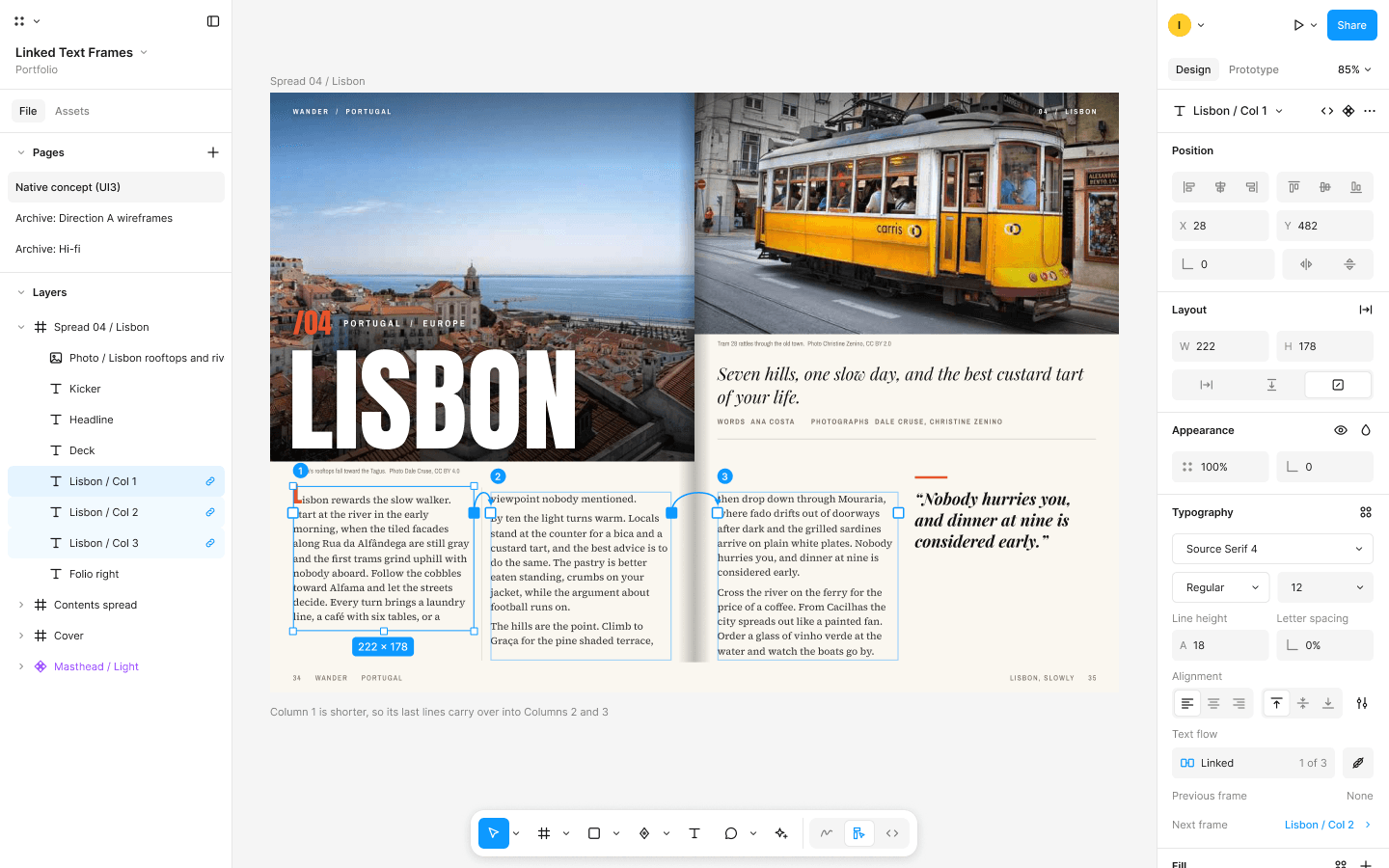
Eight screens at 1440 x 900, drawn to look like Figma UI3 on a real "Wander" magazine Lisbon spread, linked with Smart Animate.
Smaller decisions
What happens when the thread changes?
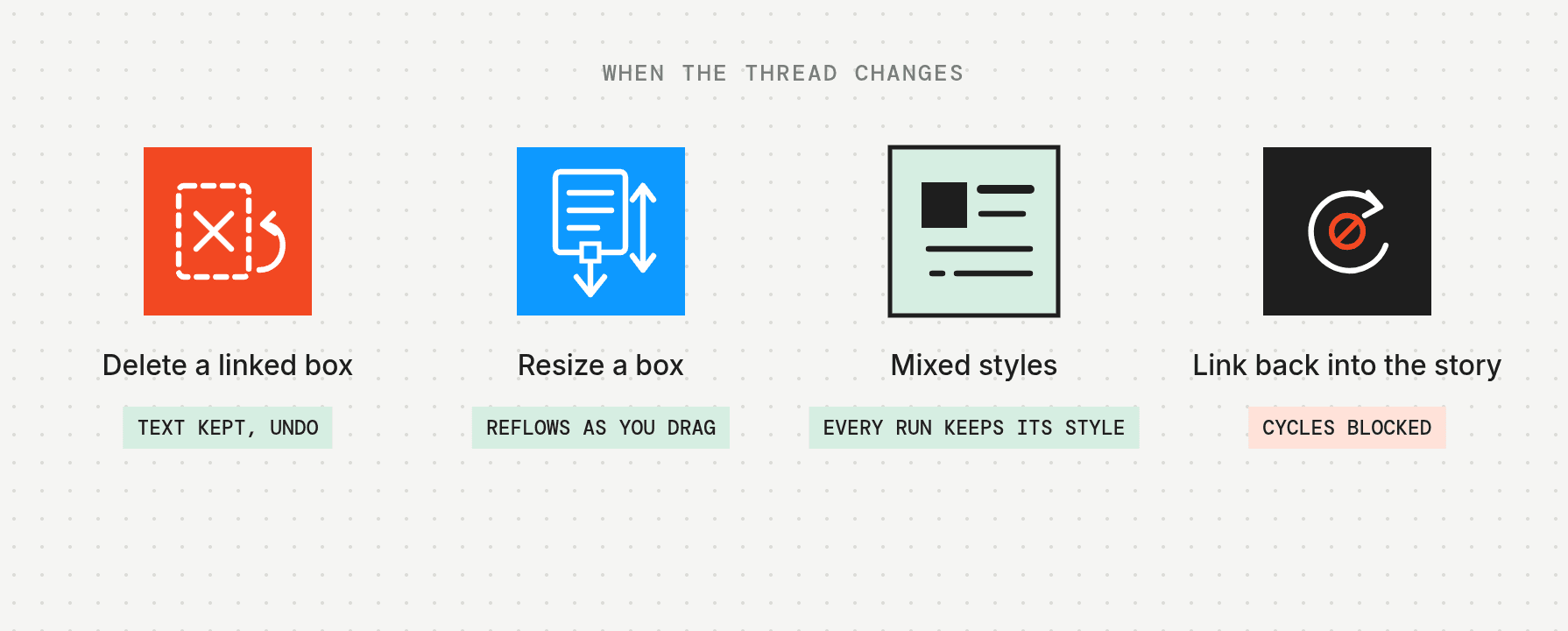
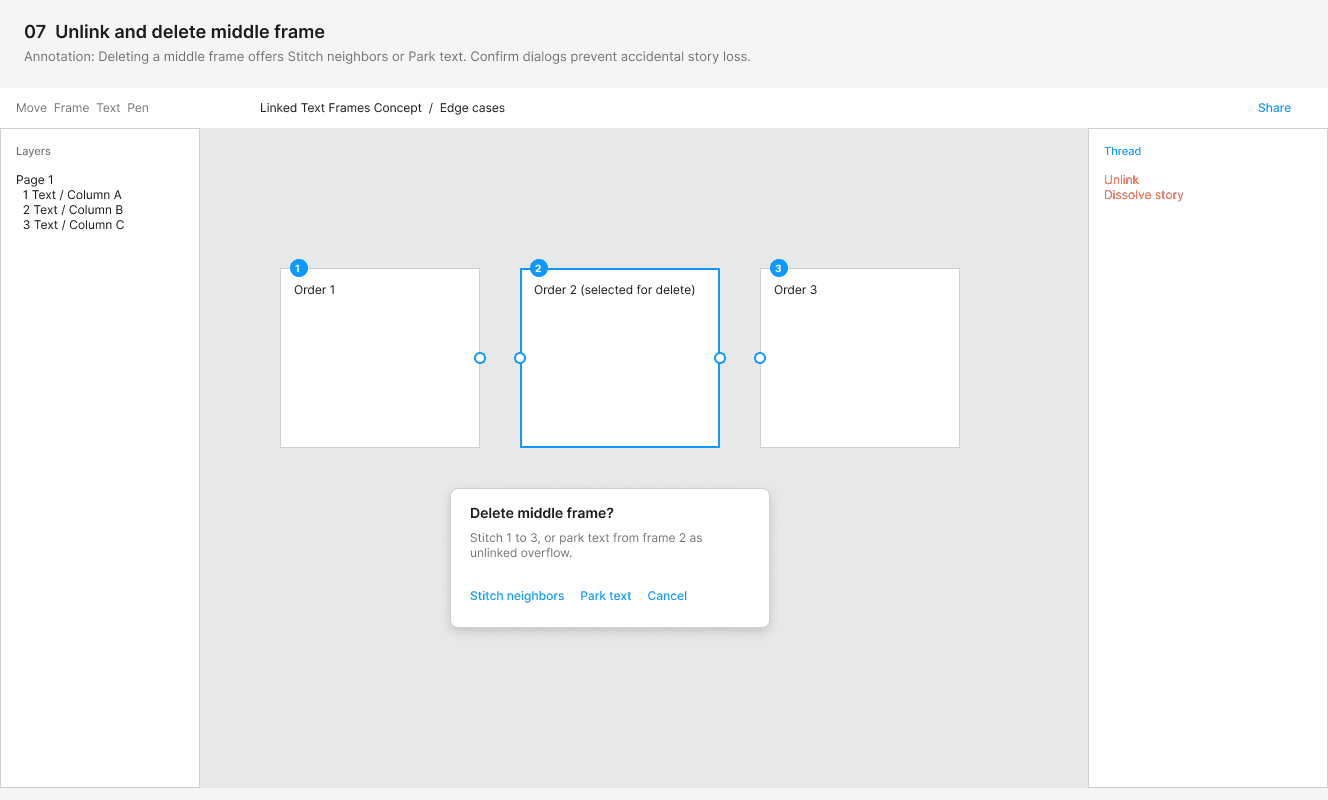
Deleting a linked box
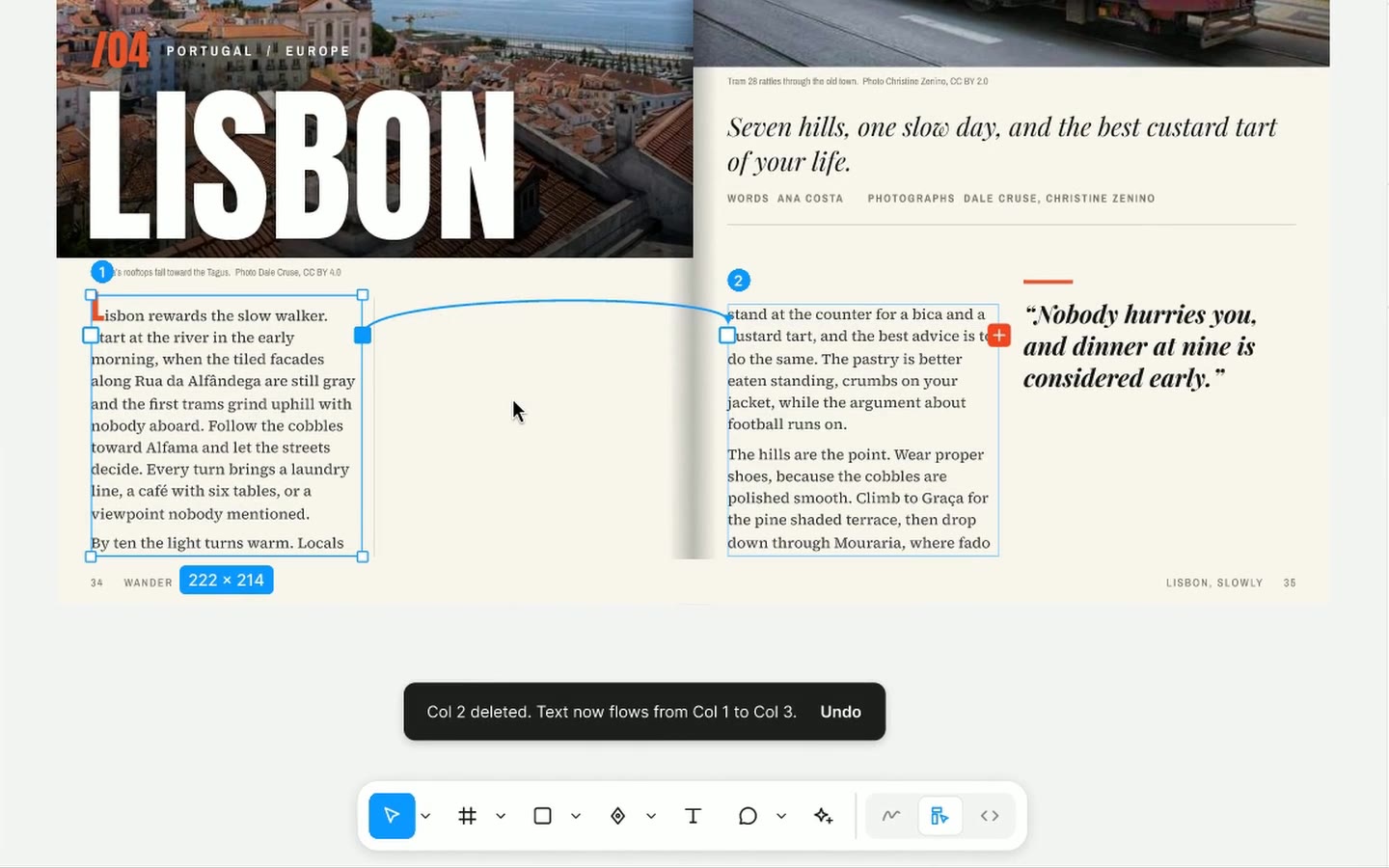
First pass: a confirm dialog on every delete, asking whether to stitch the neighbors together or park the text as unlinked overflow.
Final: delete right away, keep the text in the story, and show a toast with Undo.
Why: a dialog interrupts every delete and asks a question most people cannot answer yet. Undo protects against the rare mistake at no cost.
Resizing a box
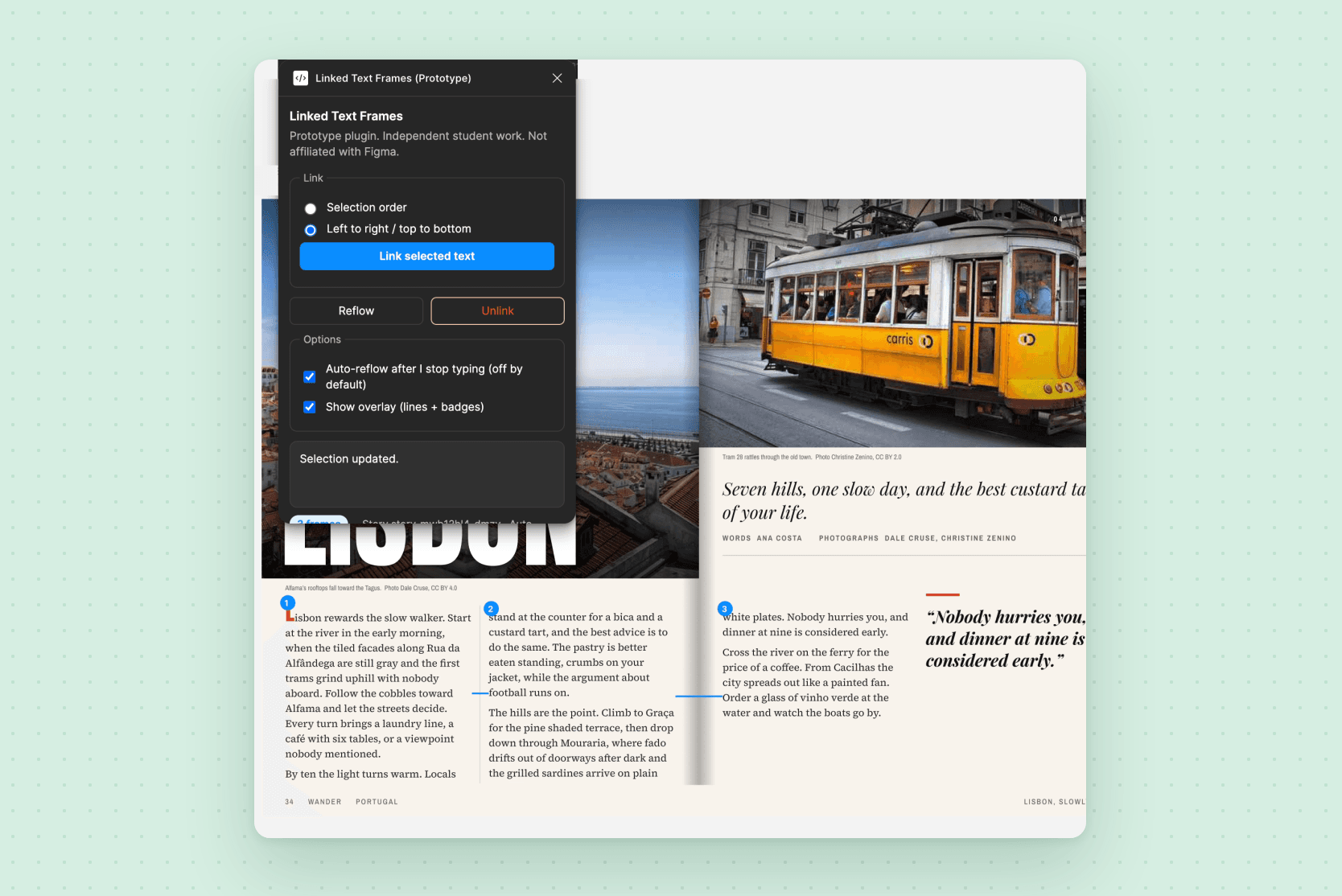
Alternative: reflow only when you press a Reflow button, which is how my plugin works today.
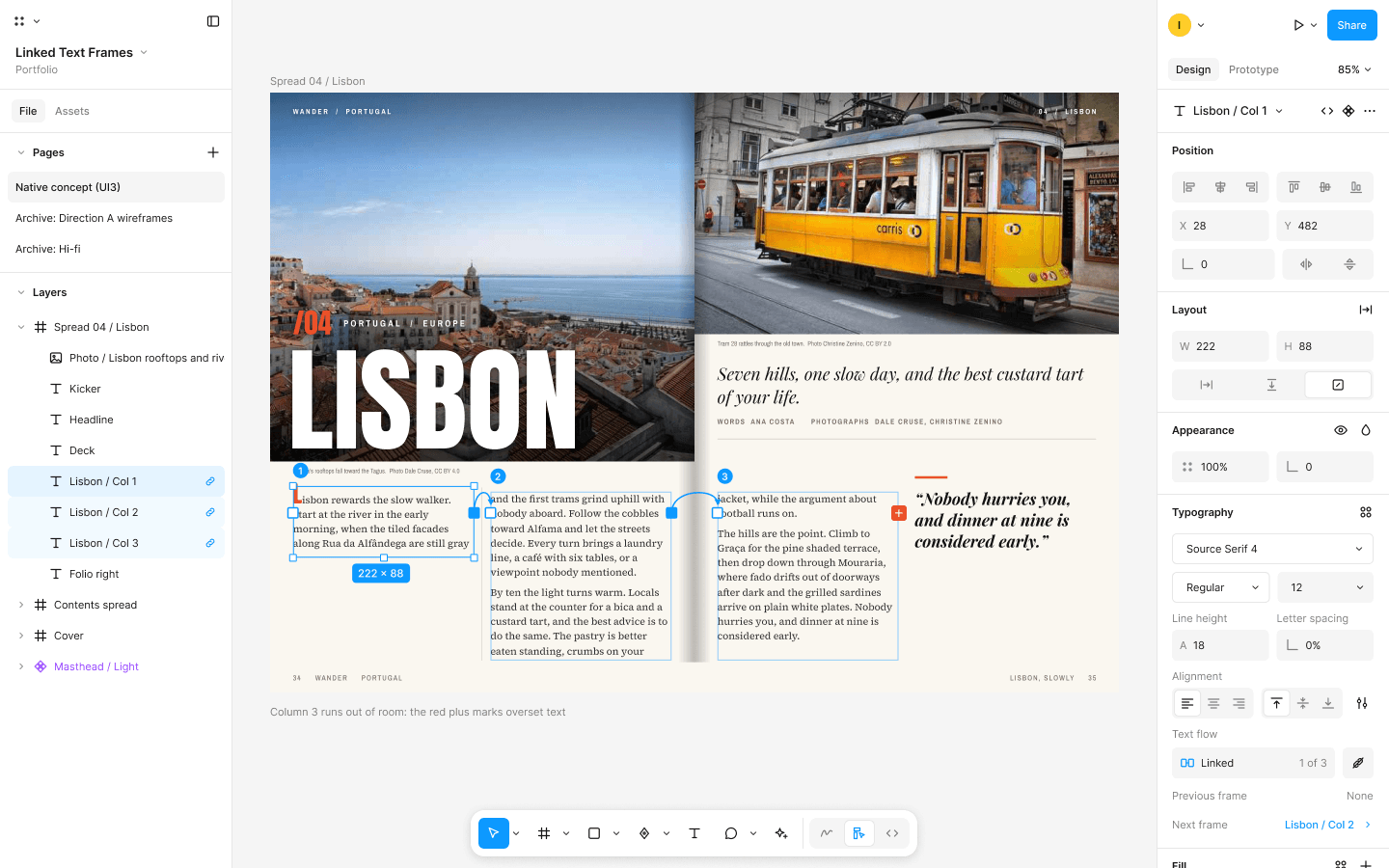
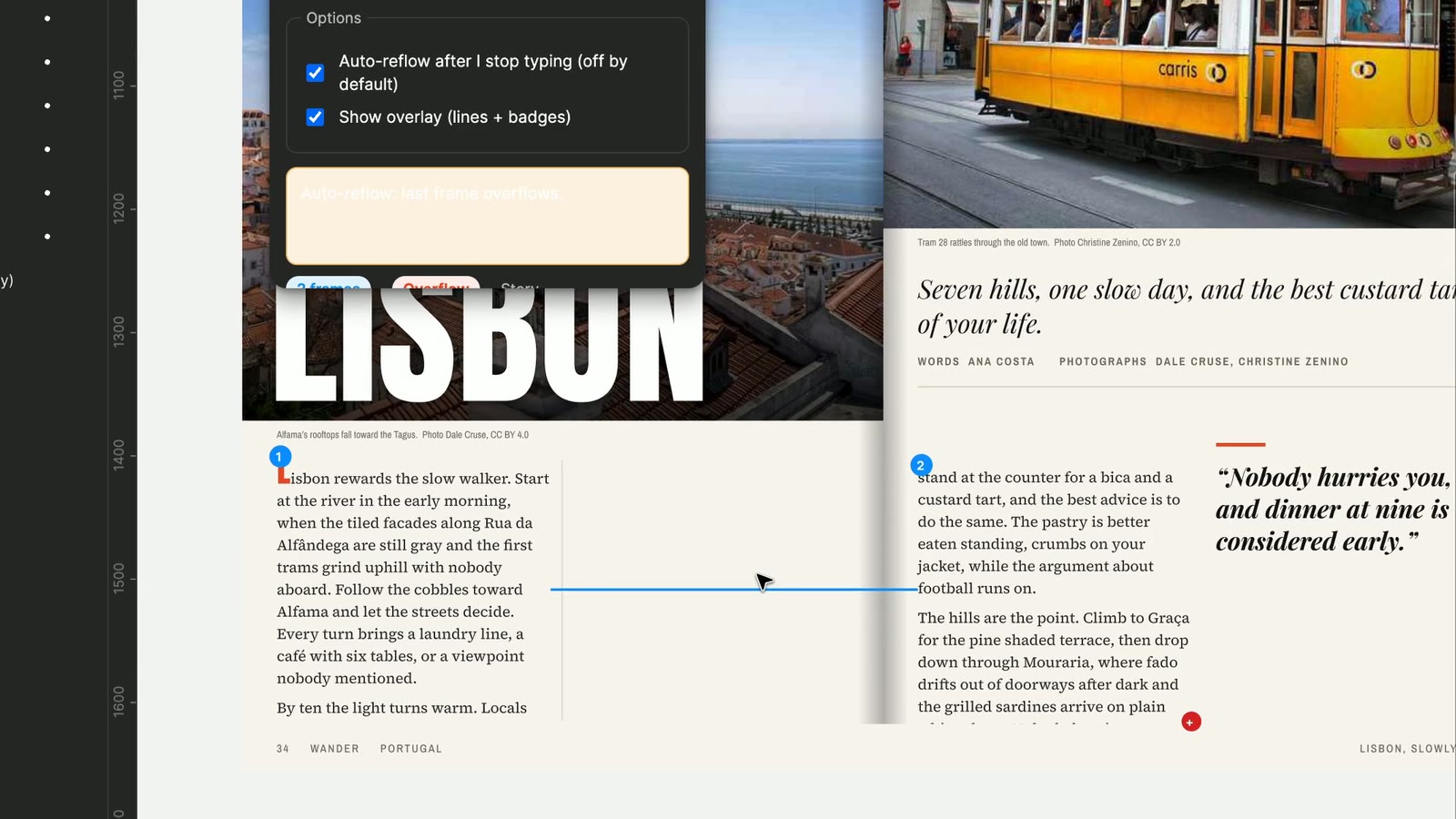
Final: the thread reflows as you drag. Shorten column 1 and its lines carry into columns 2 and 3. When there is no room left, column 3 shows the red plus.
Mixed styles
Alternative: apply one style to the whole story. My first plugin build did this, and the drop cap's color and leading spread onto all the body text.
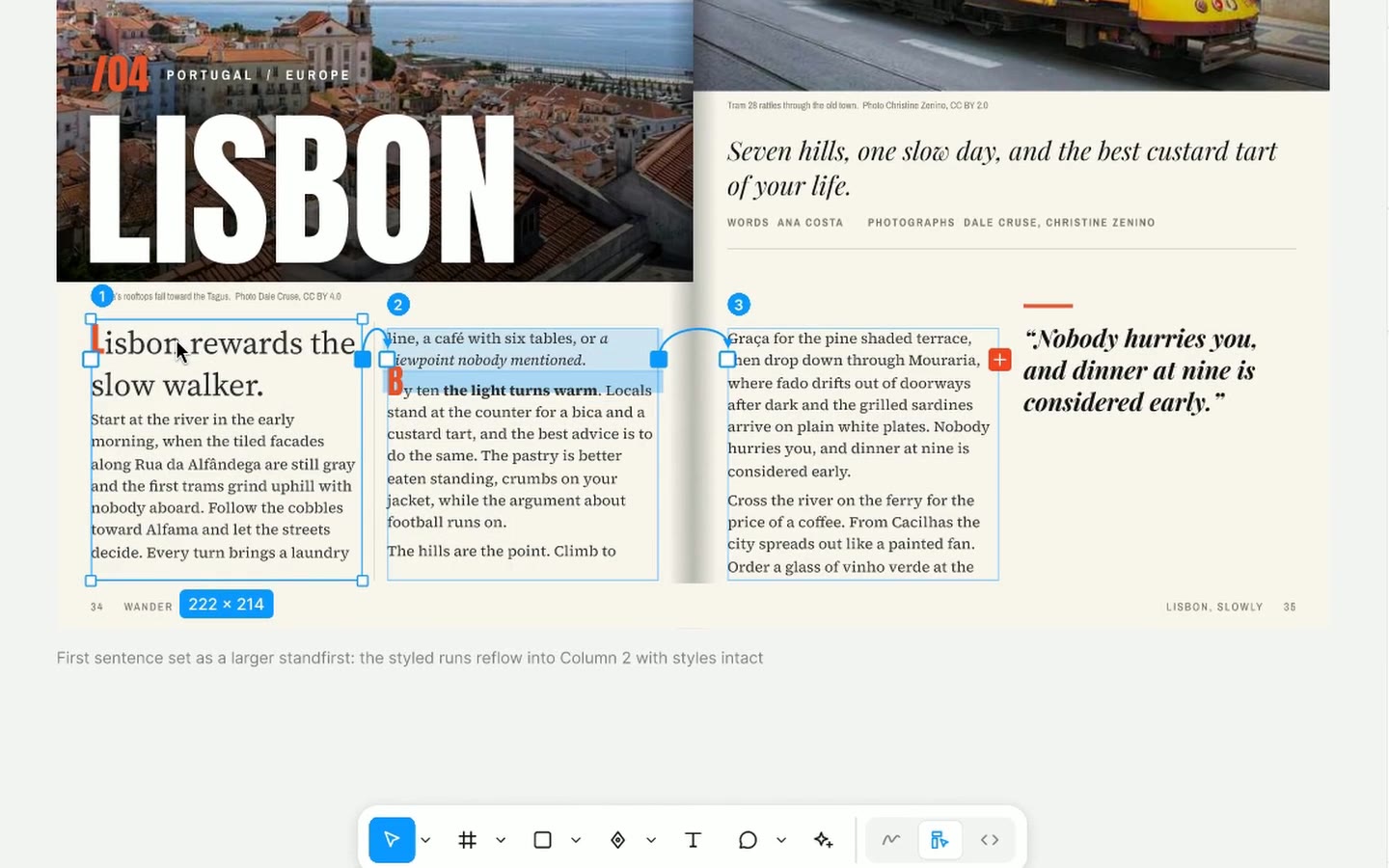
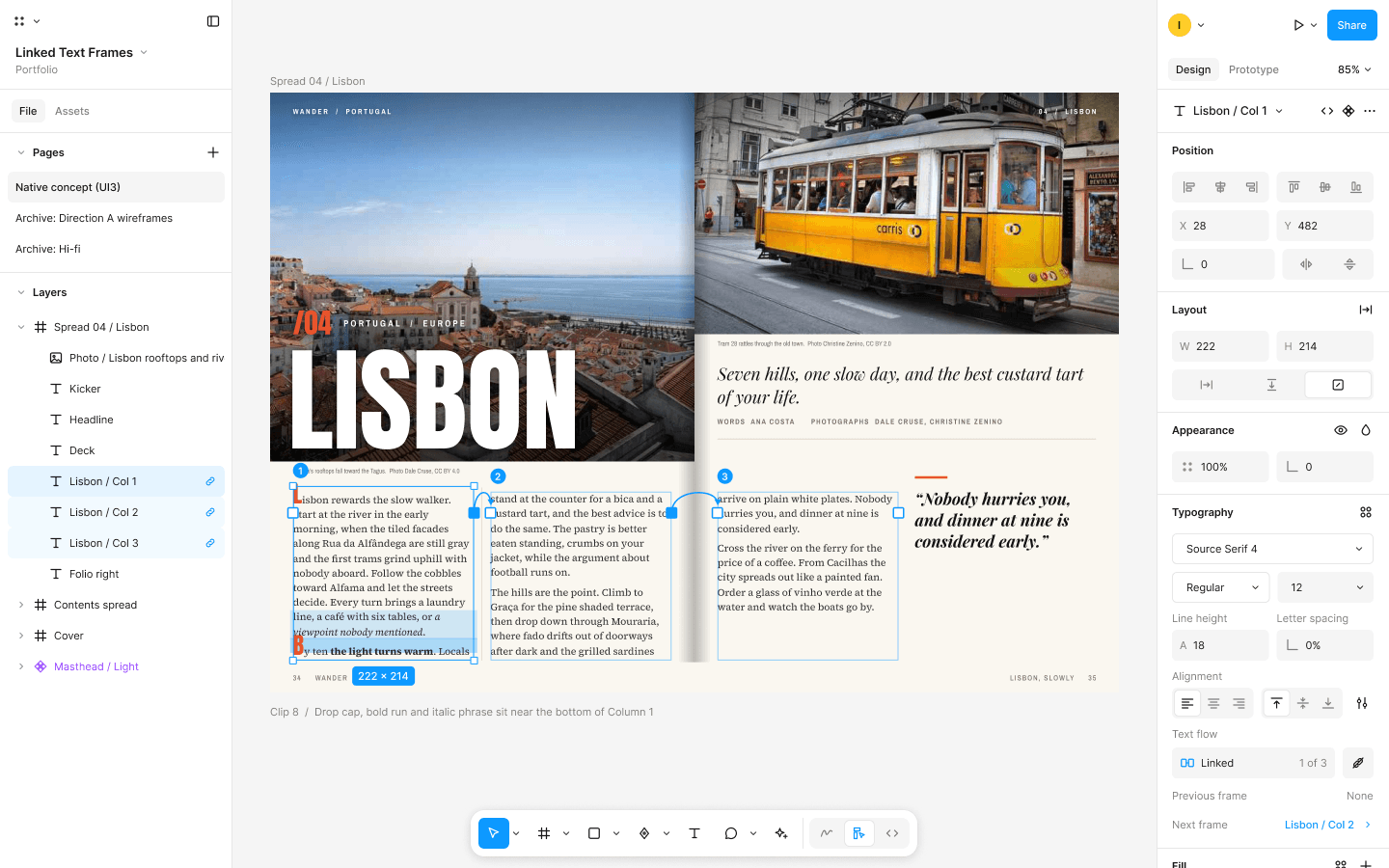
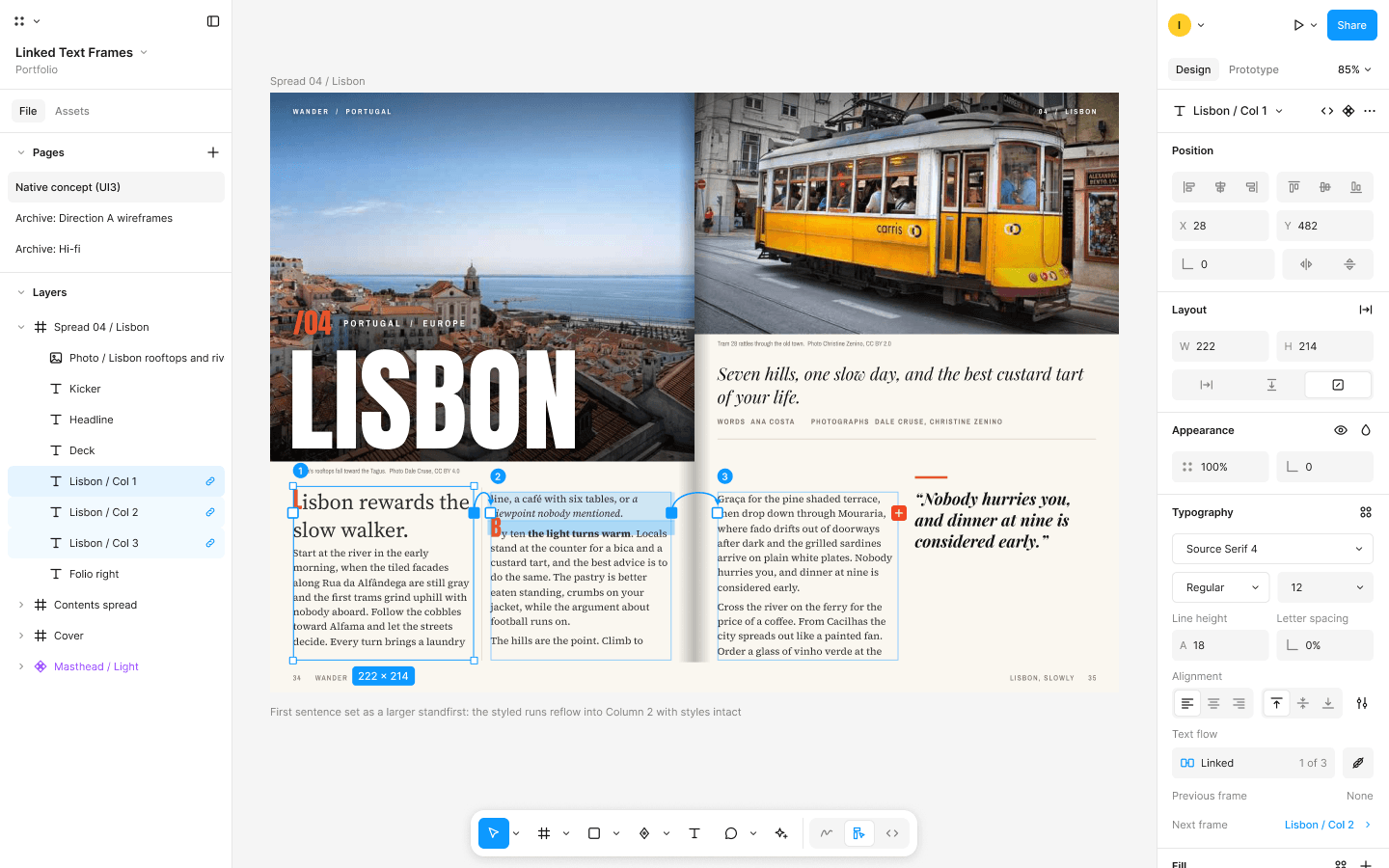
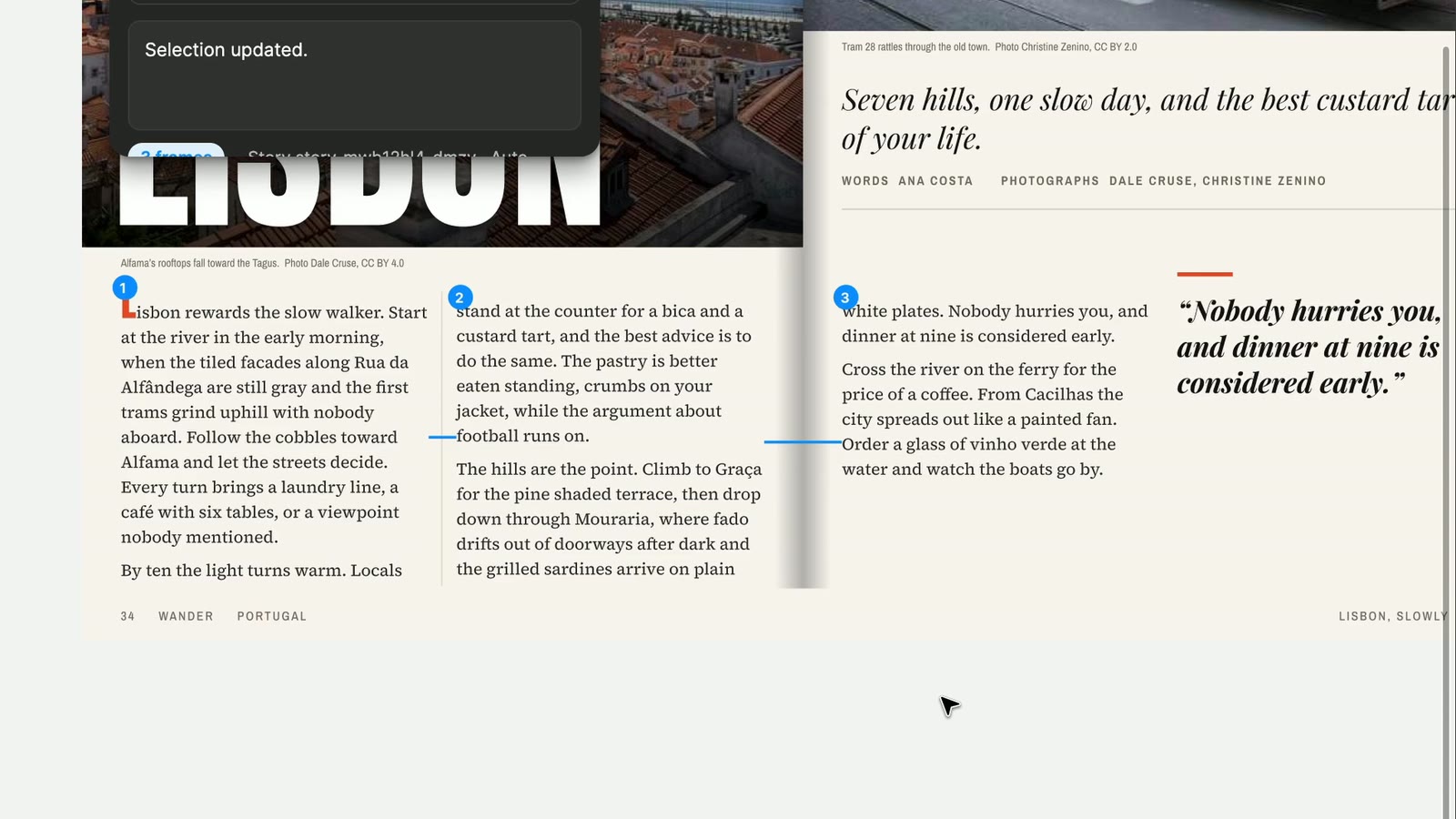
Final: every run keeps its own style. After an edit, an italic run, an Anton drop cap, and a bold run move from column 1 to column 2 intact, and column 3 overflows.
Linking back into the same story
Decision: block it. Trying to link frame 3 back into frame 1 shows an inline message and a red invalid target, so a story can never loop.
Plugin as proof
A concept can fake anything, so I built it
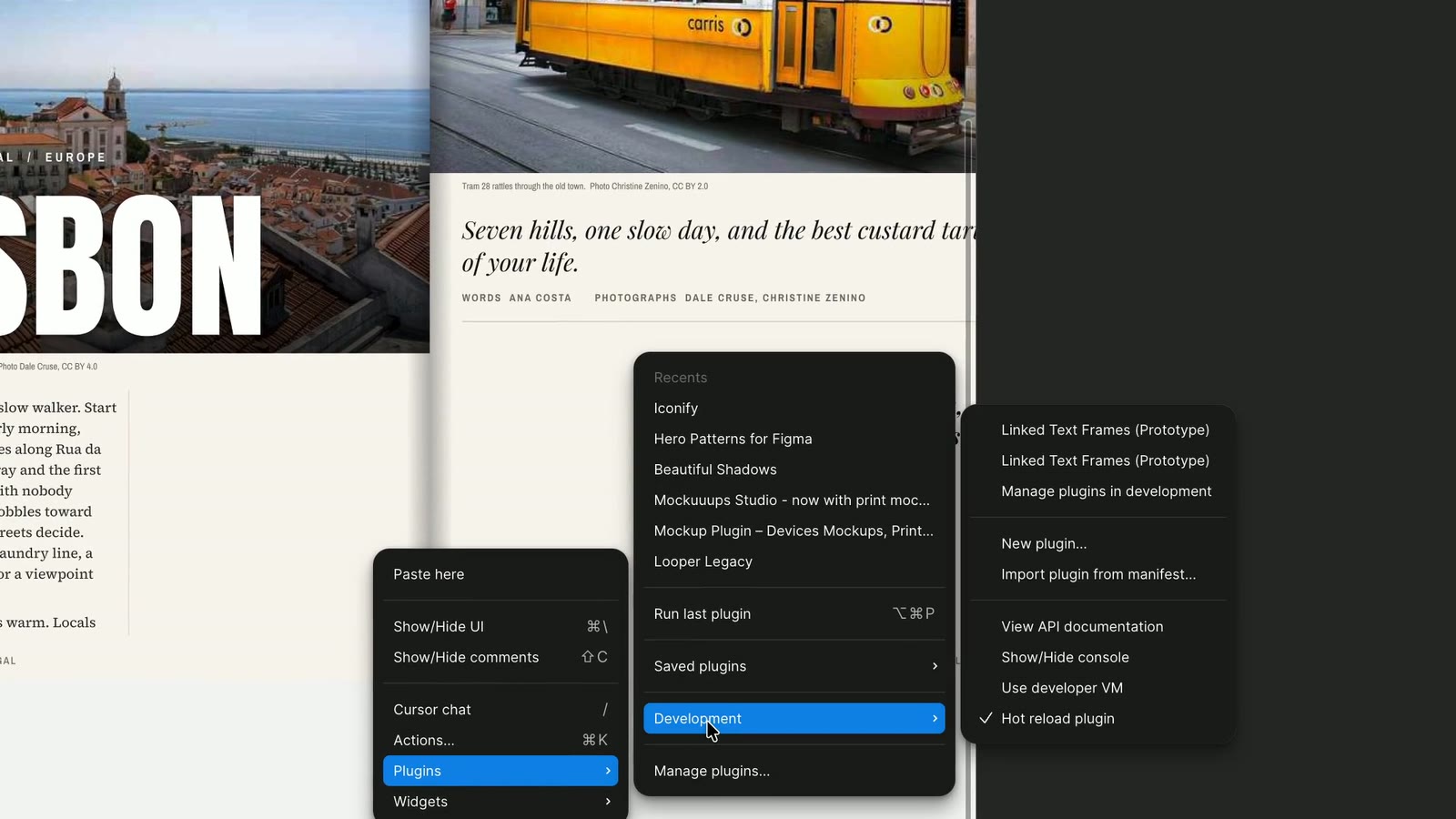
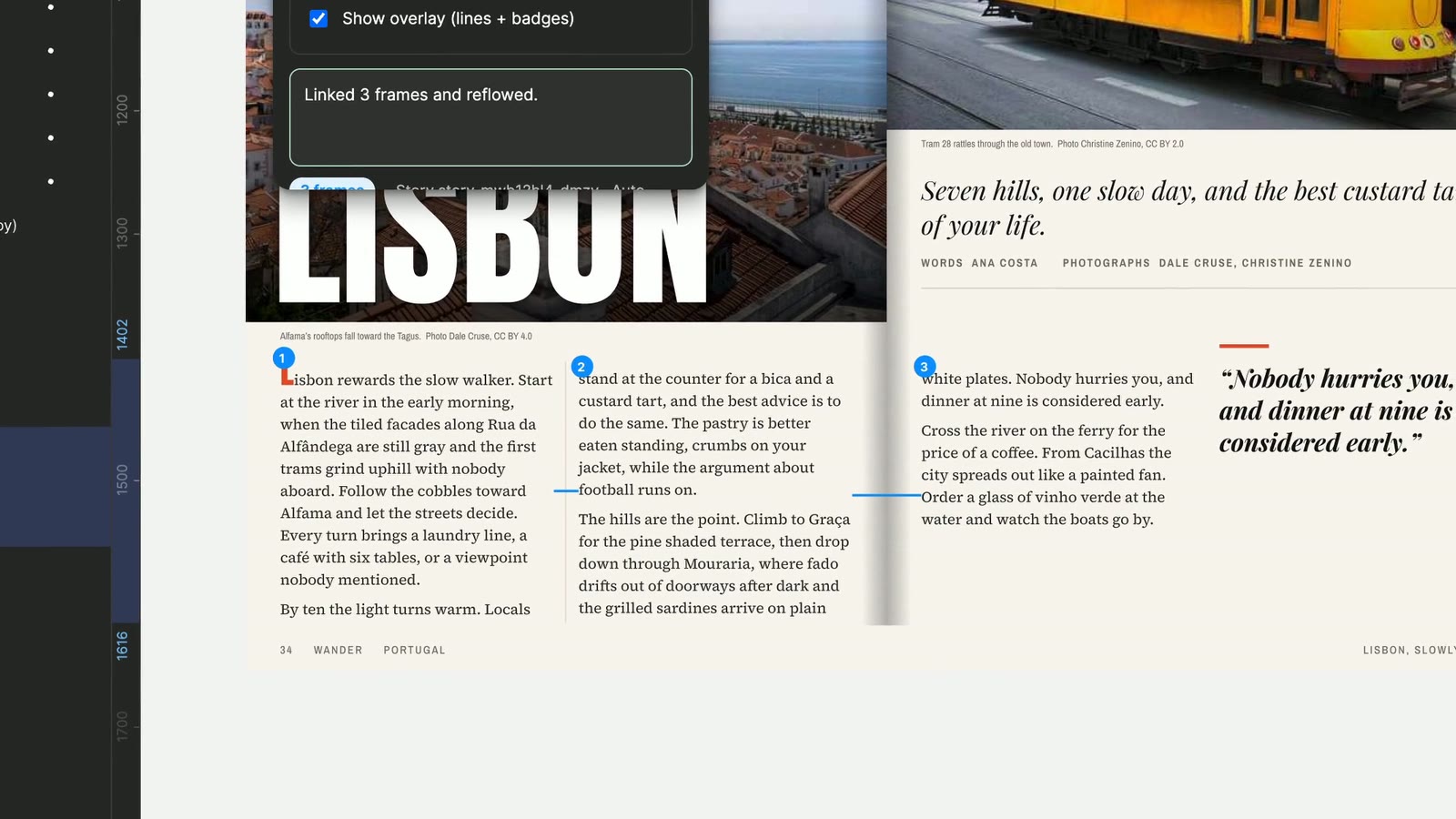
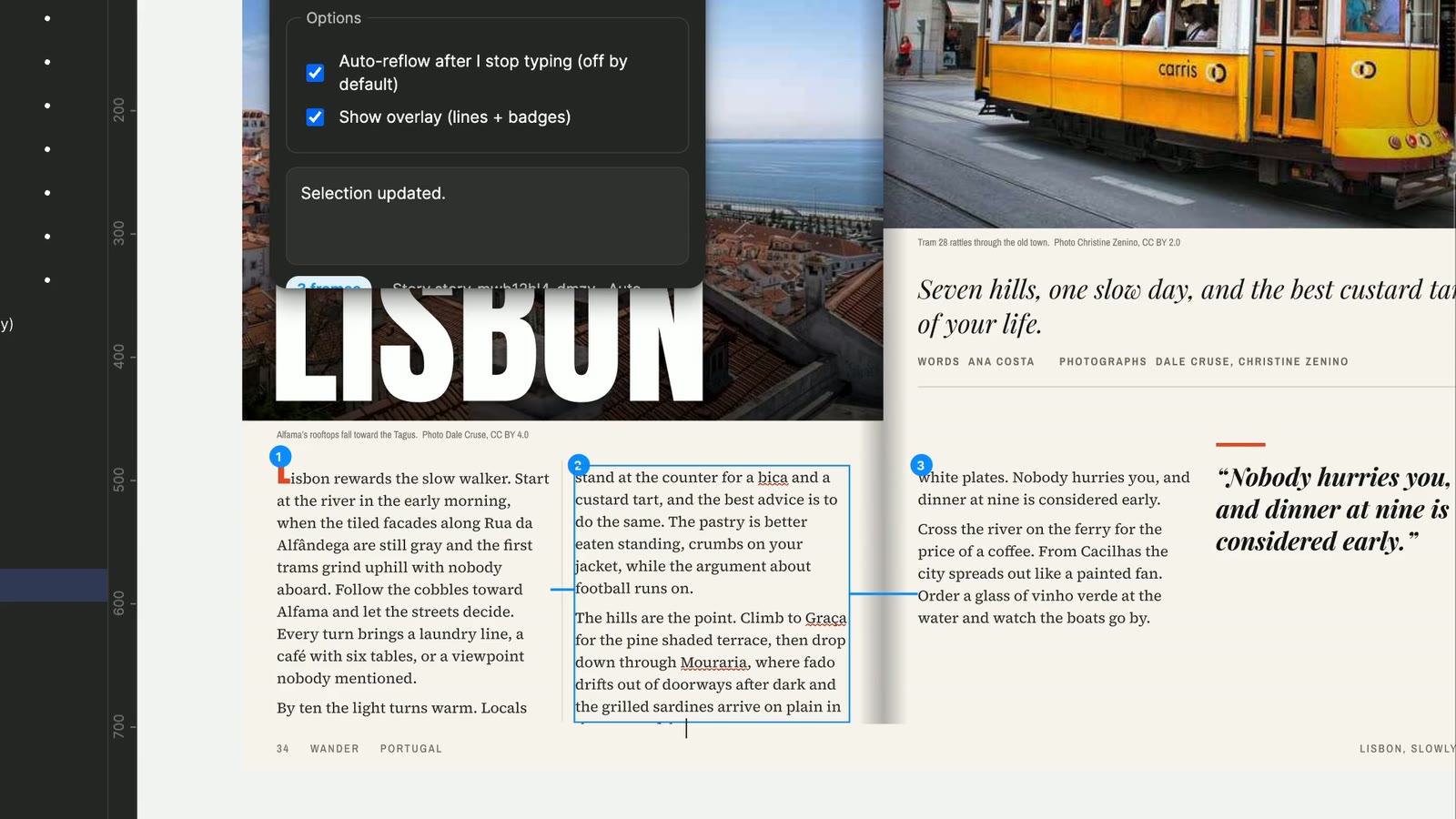
I wrote a working development plugin, Linked Text Frames (Prototype), in TypeScript on the Figma Plugin API and tested it on the real Wander spread. On November 10, 2026, link, reflow, auto reflow, and delete all worked in Figma.
How it works
- The story and its order are stored in shared plugin data, so a thread survives closing the file.
- A binary search with one off canvas probe finds how much text fits each box. The probe is always removed.
- Splits never land inside a word and avoid an orphan word at the top of a column.
- Every run keeps its font, size, line height, letter spacing, case, and fill.
- Auto reflow waits 1.2 seconds after the last edit, ignores its own writes, and never overwrites your typing.
What building it taught me
- Auto reflow looped on its own writes at first. Recognizing its own edits by content fixed it.
- Deleting a frame used to lose its text. Now every reflow records what each frame holds, so delete and Undo are safe.
- A plugin cannot add ports to Figma's interface or reflow while you type on the canvas. That is the case for building it natively.
Outcome
A native concept and a plugin that proves it
The result is an 8 screen UI3 concept with a Smart Animate prototype, 9 prototype clips, and a working plugin tested on a real magazine spread. This has not shipped and has not been tested with users yet, so there are no usage numbers. Next, I will run the interviews and the unmoderated test, and check every estimated UI3 value against the official kit.
Reflection
Building it changed the design.
Delete, drop caps, and typing during a reflow only showed up once real text moved through real boxes.
A small feature still has to respect the whole system.
Threading had to work with Undo, the Layers panel, collaborators, and the way people already think about text.